
FEATURES
A Galaxy S case for phone-and-card carry
This 2-in-1 card-holder case combines a TPU + PC protective body with a sideways-sliding rear compartment for Samsung Galaxy S Series phones. Cards sit behind a closing back panel, leaving the screen uncovered and accessible. Model-specific versions cover Galaxy S20 through S26 families, including selected FE and Edge versions.
The practical appeal is straightforward: keep frequently used cards with the phone without adding a front wallet flap. The compartment is part of the case, so there is no separate adhesive card sleeve to position. Choose this construction when covered rear card storage and direct screen access matter more than a stand, a folio cover or the thinnest possible profile.
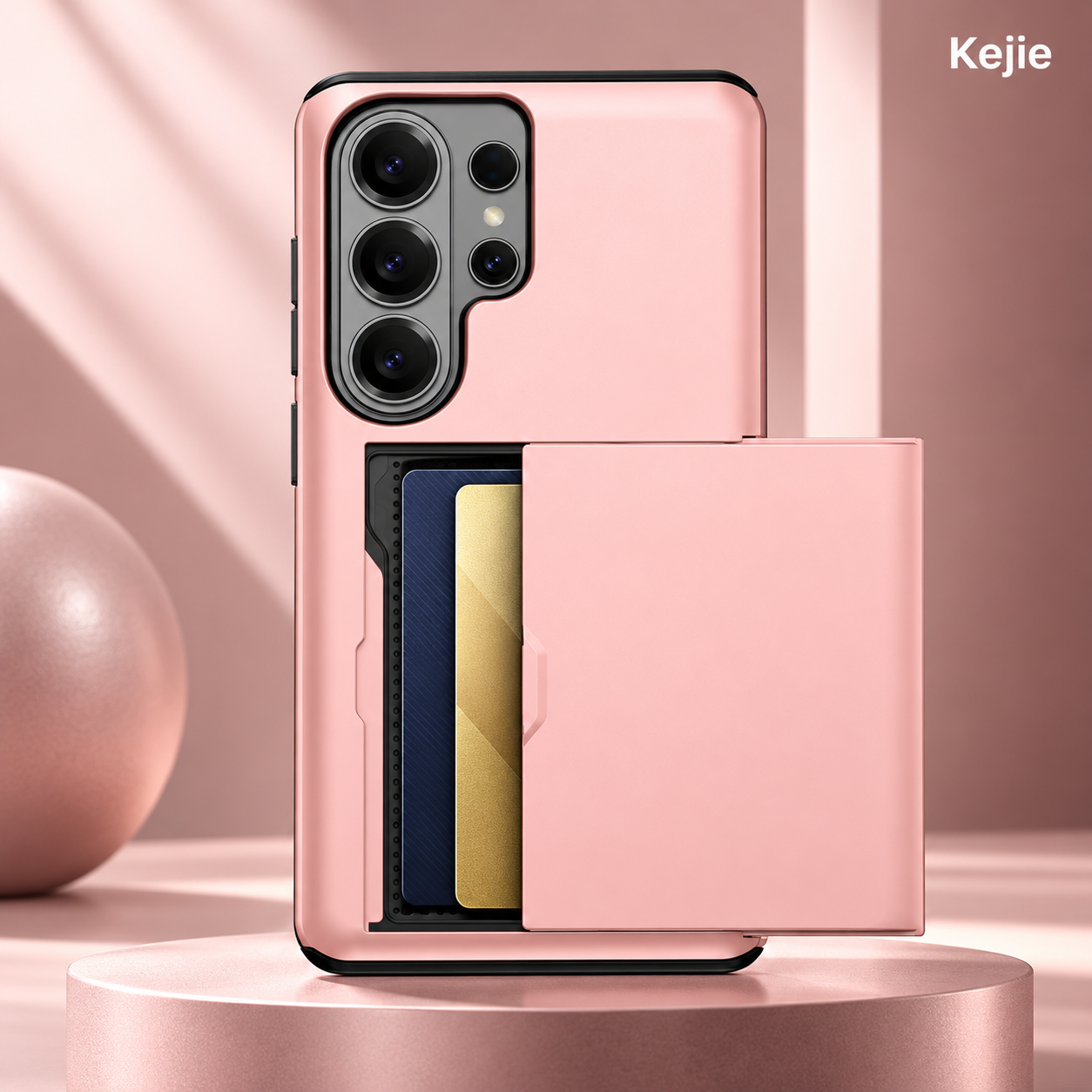
For a product range covering several generations, start with the exact devices your customers use, then select colors for those versions. The same product concept is available across multiple Galaxy S models; the individual cases are not interchangeable between phones.
Core features at a glance
| Materials | TPU + PC |
|---|---|
| Card access | Sideways-sliding rear cover |
| Phone range | Galaxy S20–S26 families; model-specific versions |
| Product format | Back-cover case with enclosed card recess; no front flap |
| Standard minimum | From 2 pieces; confirm quantities by phone model/color in the quote |
- Covered rear compartment: the sliding panel conceals the stored card faces when closed, rather than leaving them exposed in an open external pocket.
- Screen access without a wallet flap: the rear-storage layout leaves the phone display accessible for messages, camera use and calls.
- Flexible and rigid components: TPU accommodates fitting around the device, while the PC assembly provides a defined rear structure for the sliding compartment.
- Model-specific camera and control access: each version is selected for its phone instead of using a universal wallet insert.
- Multiple color directions: neutral, bright and metallic-look options support different visual ranges using the same card-storage concept.
Why TPU + PC suits a sliding-card construction
The flexible section and the rigid rear assembly solve different design needs. A case must fit around the phone, but the sliding panel also needs a defined shape and an aligned path. In this hybrid construction, TPU supplies flexibility around the device and PC supplies the firmer back assembly. It should not be treated as a soft single-piece sleeve.
For the buyer, this means evaluating both the phone-holding body and the moving rear component. Comfortable installation alone does not demonstrate a good slider; smooth sliding alone does not demonstrate correct phone fit. The complete assembled case is the useful comparison sample.
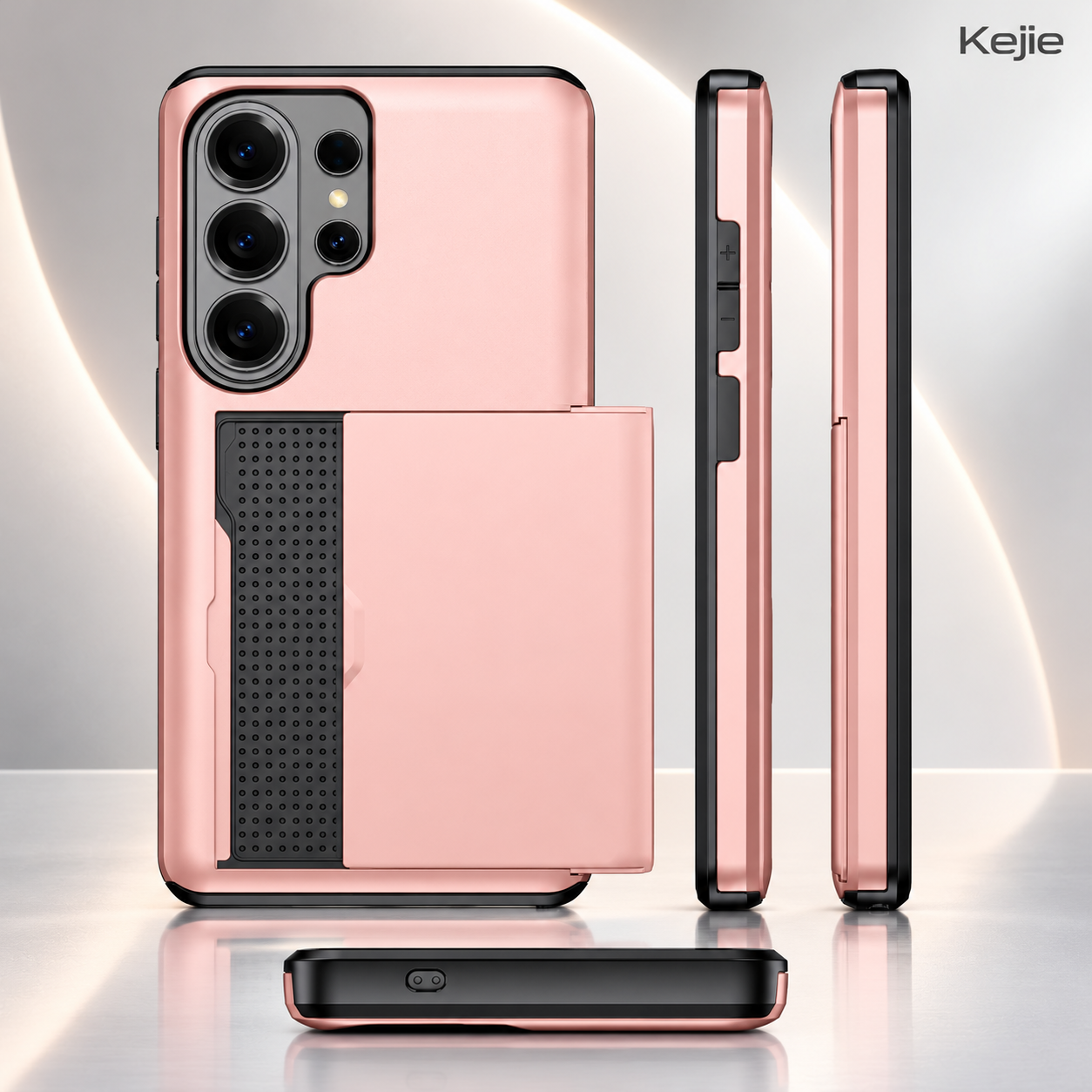
Compared with a plain back-cover case, the card compartment adds a raised structure behind the phone. That is the functional trade-off: integrated storage takes space. Choose this design for the storage benefit rather than presenting it as an ultra-thin shell. For a broader explanation of flexible edges and rigid backs, read our TPU vs PC phone case material guide.
How the side-sliding card compartment works
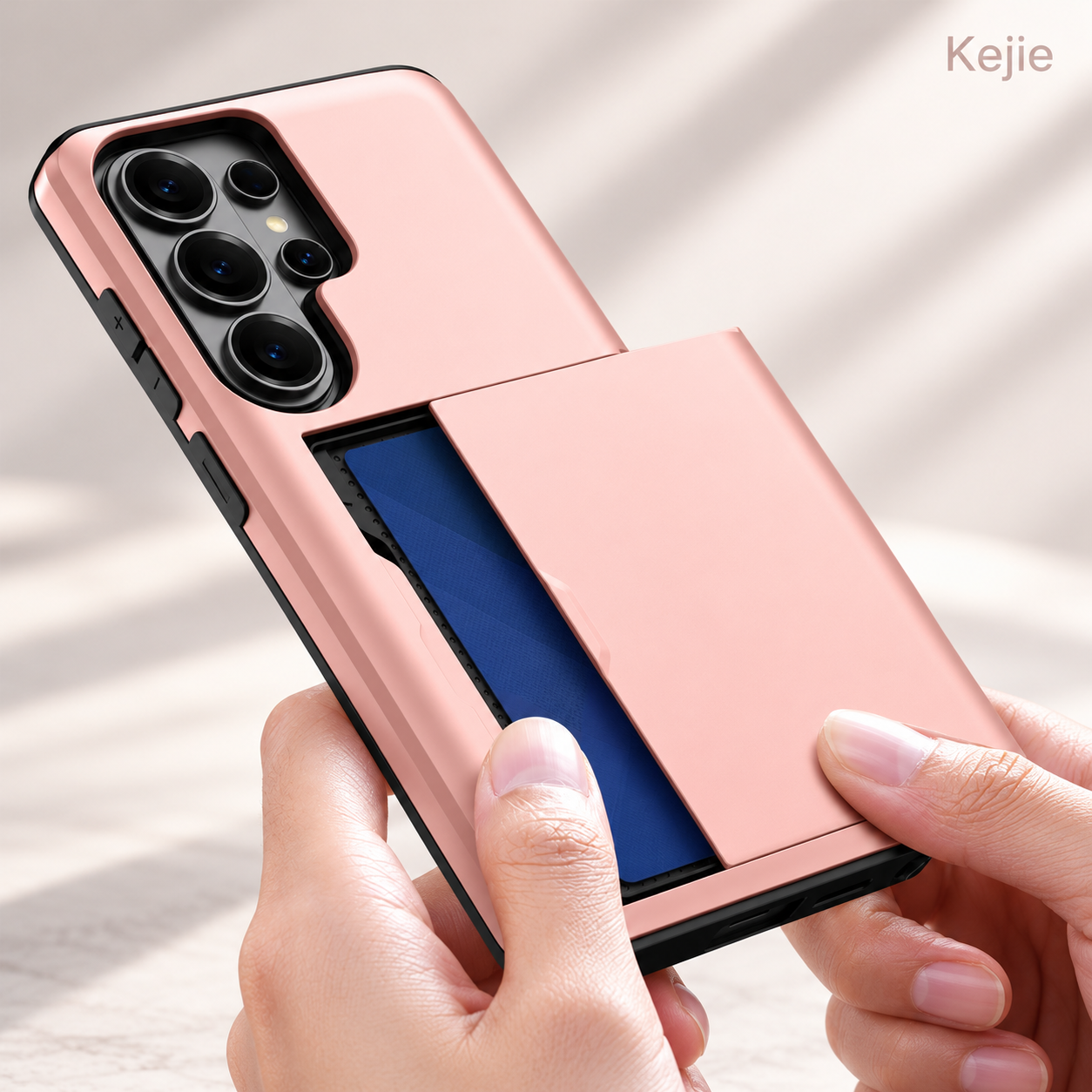
The outer rear panel moves sideways to uncover a recessed storage area. With the panel open, the card stack is placed flat in the recess; returning the panel covers it. Unlike a hinged rear pocket, the opening movement follows the slide path rather than folding outward into a viewing support.
Loading and daily access
- Hold the phone securely and move the rear panel along its track until the compartment is accessible.
- Place the intended cards flat inside the recess, keeping their edges clear of the moving panel and track.
- Slide the cover fully closed without forcing it. If the stack obstructs closure, reduce the load rather than pressing the panel over it.
- For retrieval, reopen the panel and remove the required card while supporting the phone.
Card thickness matters more than a photographed count
Embossed bank cards, flat access cards and cards in protective sleeves occupy different amounts of space. An embossed stack can also have uneven thickness. The useful capacity is the combination that fits flat, permits full closure and remains accessible on the selected case. Agree that combination on the sample before using a numerical capacity on a retail label.
The closed cover conceals the card faces, but the product is not specified as an RFID-blocking wallet or a sealed card container. Its task is everyday phone-and-card carry. A buyer needing those additional functions should select a product with evidence for that particular requirement.
Sliding card holder, rear wallet or flip wallet?
Choose the storage mechanism around the user’s routine. A card-storage case is not automatically a stand case, and a magnetic wallet closure is not the same as a magnetic charging ring. The following comparison separates those tasks.
| Buying priority | This sliding-card TPU + PC case | Rear PU card-holder / stand case | PU flip-wallet case |
|---|---|---|---|
| Card access | Slide the back panel sideways | Access the rear holder according to its design | Open the wallet cover to reach its slots |
| Screen handling | Screen stays uncovered | Back-cover layout leaves screen accessible | Front flap covers the screen when closed |
| Desk viewing | No built-in stand specified | Choose the version with a confirmed support function | Folding cover supports viewing on suitable versions |
| Best starting brief | Covered cards with direct screen access | Leather-style rear storage plus desk support | A wallet layout with a closing front cover |
| Main selection trade-off | Rear compartment adds depth | Holder and support geometry affect handling | The flap adds an opening step and front coverage |
Our recommendation: start with this sliding-card design when the buyer wants the cards covered without handling a screen flap. Choose a rear card-holder stand when hands-free viewing is also important. Choose a flip wallet when a closing front cover and wallet-style opening are part of your requirements. None is a universal upgrade; they serve different carrying habits.
Match the exact Galaxy S version
Available selections include base, Plus and Ultra versions of Galaxy S20, S21, S22, S23, S24, S25 and S26, plus S20 FE, S21 FE, S23 FE, S24 FE, S25 FE and S25 Edge. These are individual phone selections, not one case that fits an entire generation. The complete model list appears in the detailed specifications below.
Use the full commercial model name on the quotation and packaging label. For example, “S24” and “S24 FE” need separate order lines; “S25 Edge” should not be shortened to “S25.” Camera layouts, body outlines and control positions must match the selected version. When a device name is uncertain, send the phone’s model designation before choosing the case.
For a multi-generation product range, group quantities by model first and color second. This makes availability and replenishment easier to review than a total quantity spread across unspecified versions. Browse the Samsung Galaxy S Series collection for other structures for the same device family.
Build a color range around the same storage function
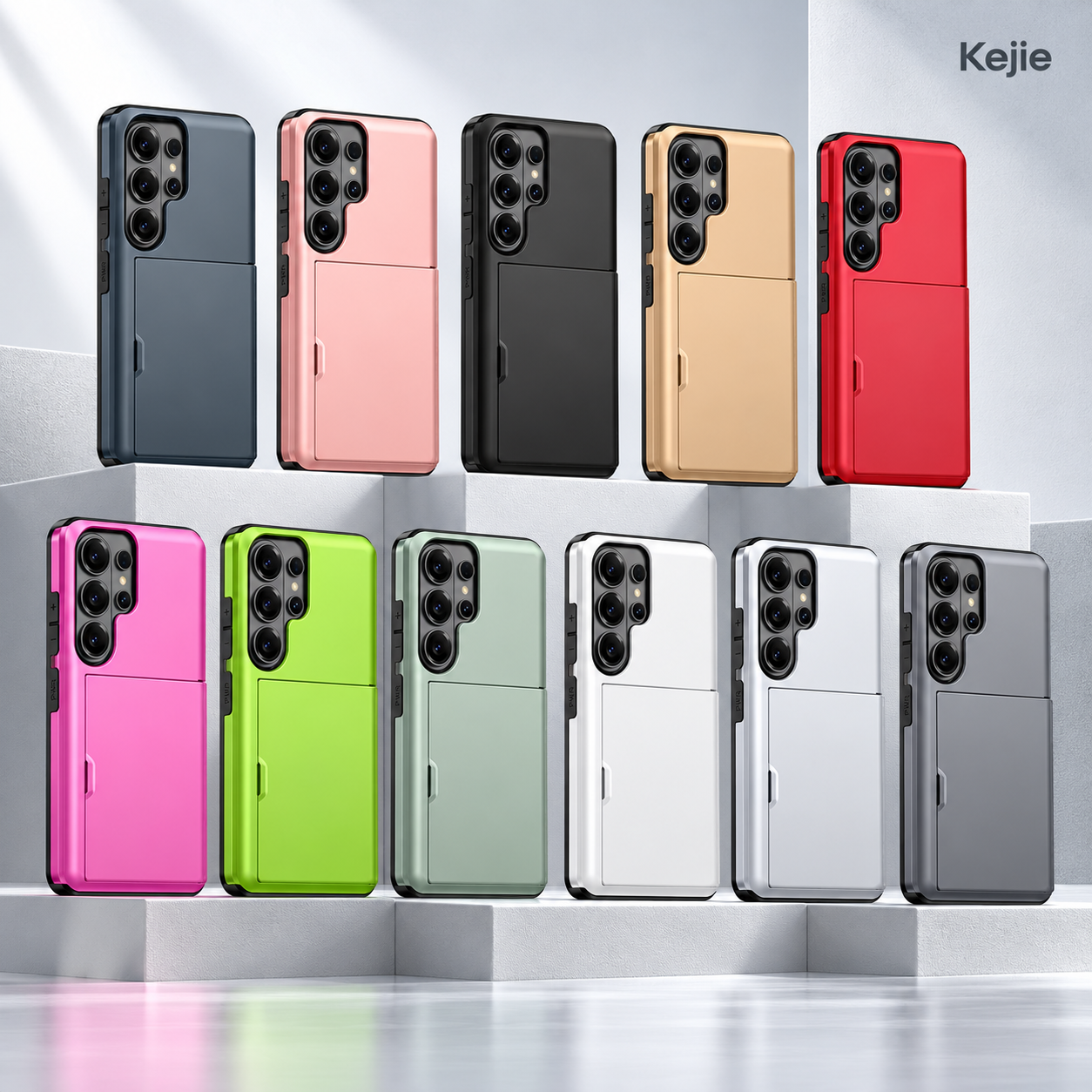
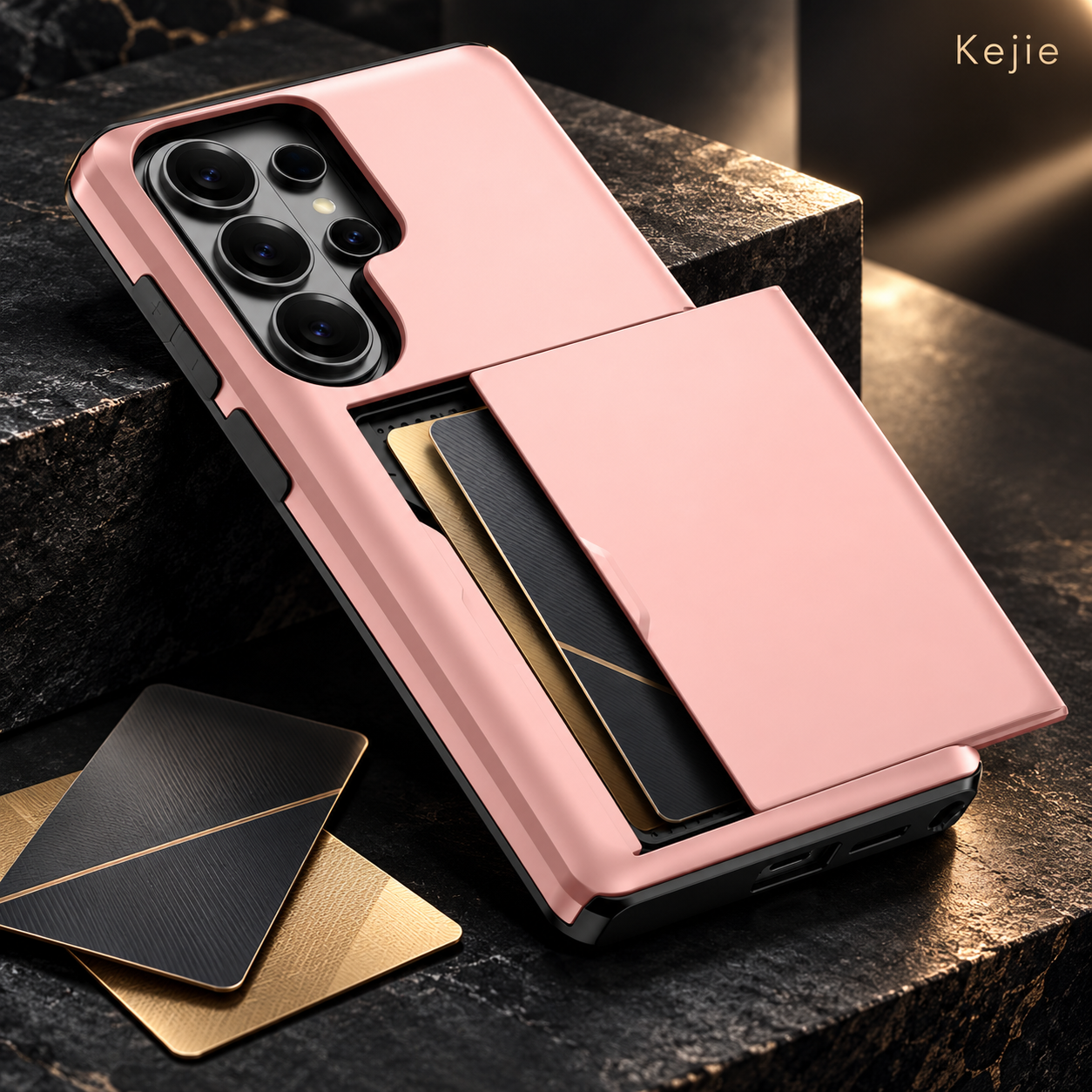
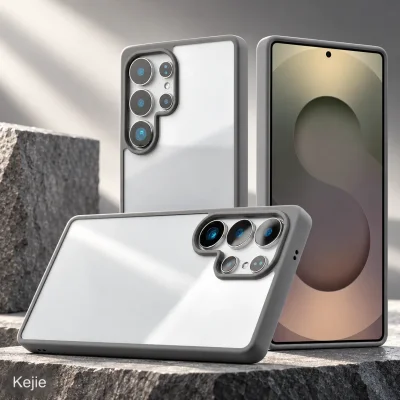
The color selections are black, navy, rose gold, gold, silver, army green, red, white, green, gray and pink. The photographs show the contrast between the colored exterior and darker structural areas. Metallic-look colors describe an appearance, not a metal case construction.
For a restrained everyday range, black, navy and gray are sensible starting directions. Pink, rose gold, gold and brighter colors offer a more expressive presentation. These are visual merchandising suggestions, not claims about sales demand. Choose the range around your customer brief, and approve a physical color sample where matching matters.
A color product range also needs a workable model split. Offering every color for every phone can create many small stock lines. Begin with the combinations your own sales or customer requests support, rather than assuming the full pictured color range is required for each generation.
Compare related Kejie products by the job they do
These alternatives address three different priorities: a rear stand, a front wallet cover or a slimmer shell. Review the individual model selection on each page; a shared Samsung name does not make their fitments interchangeable.
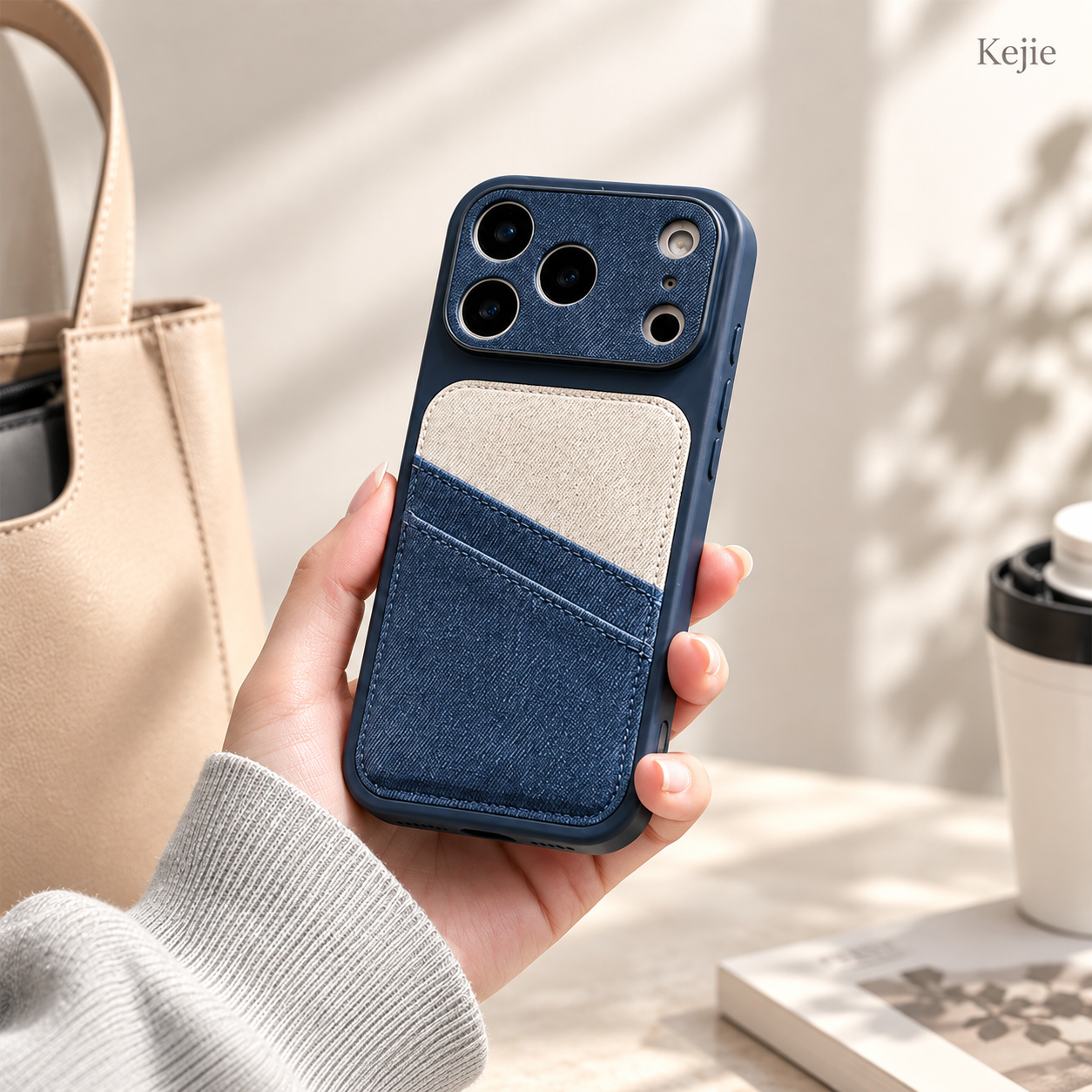
2-in-1 PU Leather Card Holder Kickstand Case for Samsung Galaxy S23-S26 Ultra
Choose this for selected Galaxy S23–S26 Ultra projects that want a PU leather-style finish and a rear holder/support concept. It is a different opening and support layout from the sideways slider.
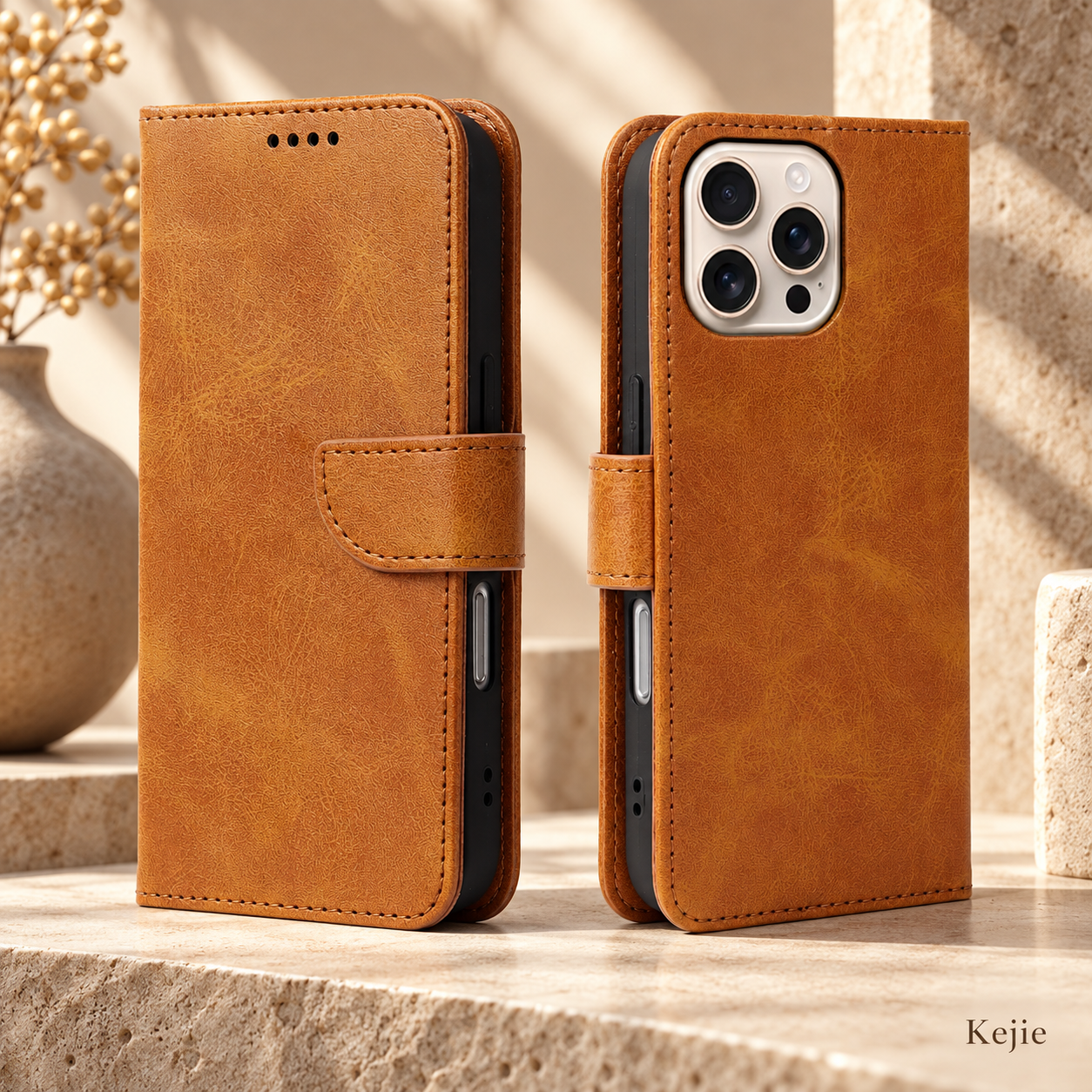
Magnetic Flip Wallet PU Leather Card Holder Case for iPhone & Samsung Galaxy
Choose this when your requirements call for a PU wallet cover, card storage and magnetic flip closure. The closing magnet serves the wallet flap; it should not be confused with a charging magnet.
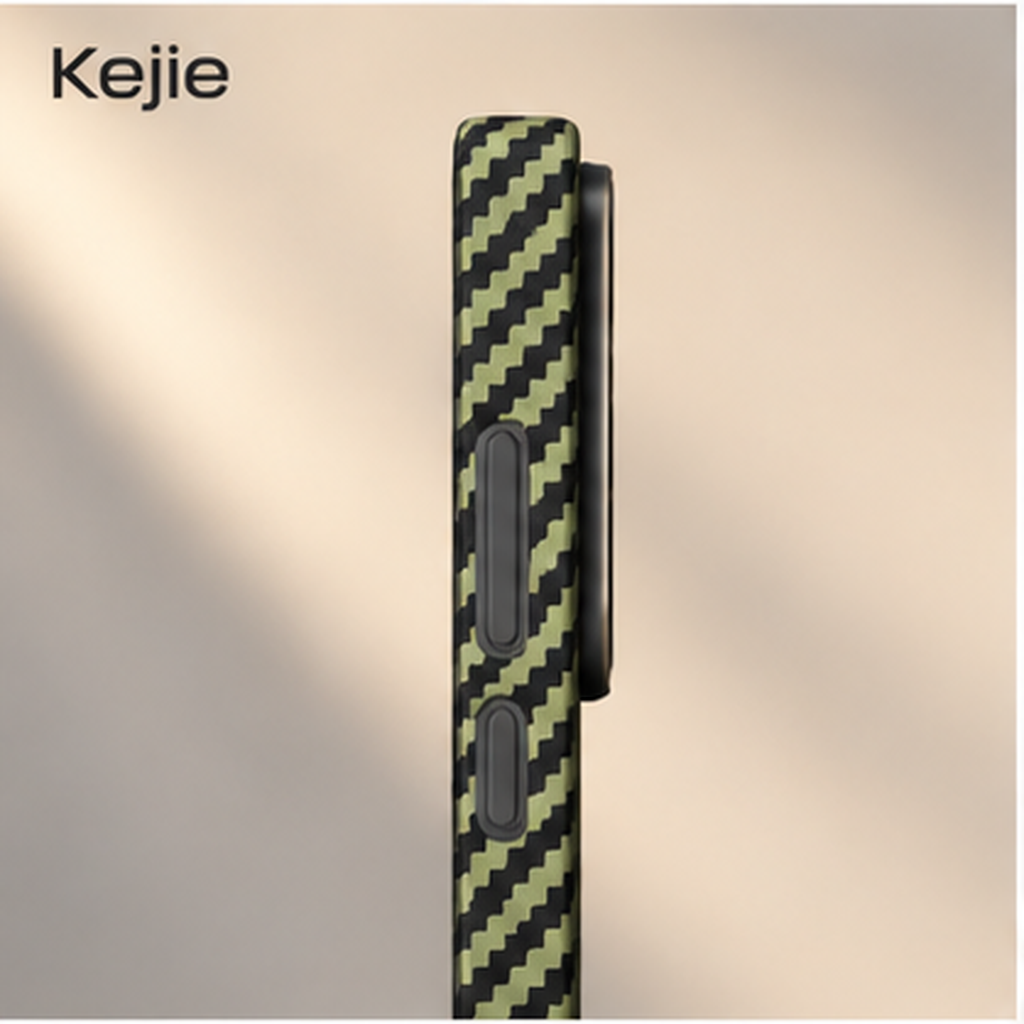
0.64mm Ultra-Thin Aramid Fiber Case for Samsung Galaxy S25 Series
Choose this when a slim aramid-fiber back is more important than carrying cards. It is an alternative product direction for Galaxy S25 / S25+ / S25 Ultra, not a card-holder version of this case.
Logo placement and a coherent product presentation
Logo requests have a 1,000-piece minimum reference, separate from the standard unbranded order. The broad rear surface can be discussed as a branding location, but the artwork must account for the panel’s travel. A logo or label should remain on one component rather than bridging the moving seam.
Provide the artwork, intended logo size and preferred position on a marked product image. The application method and its appearance on the selected color need sample approval; a metallic-looking shell does not confirm that engraving, embossing or every printing method is appropriate. Review the finished panel both open and closed so that the design works in either position.
For retail presentation, keep the model name and card-access instructions clear. A useful pack message explains the sliding compartment; it does not advertise a stand or unverified card count. Any branded packaging, barcode or instruction insert should be included in the quote request rather than assumed to be part of the standard OPP-bag setup.
What to evaluate on a working sample
A sample should demonstrate the complete use cycle: install the correct phone, load the intended cards, open and close the panel, and handle the loaded phone. Use the approved sample and agreed card combination as the references for the order.
- Phone fit and access: check that the case seats correctly on the exact phone and that camera openings, side controls, charging port and speaker access align.
- Loaded slide travel: move the panel through its normal opening path with the intended cards installed. Look for catching, card edges entering the track or closure requiring force.
- Sliding panel: check that it stays closed during the agreed carrying and handling checks. Record the type and number of cards used so you can repeat the check later.
- Surface and assembly: compare panel alignment, seams, edge finish, visible marks and color against the approved sample, including the surfaces exposed when open.
- Branding and packing: check artwork position, legibility, individual model/color labels and pack count against the approved order information.
Keep the sample revision and acceptance notes together. If a model, card load or decoration changes, recheck the affected function rather than assuming an earlier approval covers the new setup. Our phone case shipment inspection guide explains how to tie findings to the model, order line and carton so that a correction can be traced.
Order quantities, samples and delivery planning
Standard and logo orders are different
The standard order starts from 2 pieces. The exact model/color quantity split depends on the selected product range and available setup. A logo order has a separate 1,000-piece reference. Adding a logo is therefore a different purchasing decision from taking a small unbranded quantity; quote the two options separately if you are comparing them.
Use samples to settle the functional questions
Existing-model samples are available for fit, appearance and card-access review. State the exact phone and card combination when requesting one. Sample charges, freight and dispatch arrangements belong in the quotation; do not assume that a standard sample includes a finished logo or branded retail pack.
Separate preparation from transport
The product preparation reference is 3–10 days after payment confirmation, with the applicable stock, quantity and model mix agreed in the quotation. Logo or packing work needs its own schedule. Preparation time is not an arrival promise: transport and destination handling are additional planning stages.
For comparable quotations, keep the phone versions, color quantities, logo scope and packing specification the same. Those choices, together with the total order and destination, are more useful than comparing an unspecified “wallet case” price. Send a target receipt date if the order is tied to a launch.
Packing, handling and accessory considerations
The standard individual pack is an OPP bag. The packed-unit reference is 18 × 8 × 1.5 cm with 100 g gross weight. These figures describe one packed item, not the bare shell. A branded box, an insert or a different outer-carton arrangement changes the shipping setup; obtain the final carton dimensions and gross weight for freight planning.
During daily use, keep debris out of the exposed slide track and avoid forcing the cover against an overfilled compartment. A protruding label, loose insert or thick card sleeve can interfere with movement. Wipe away loose surface dirt with a soft cloth; coating-specific cleaning instructions should follow the approved finish.
The raised rear compartment also changes the shape presented to a clamp or charging pad. Select a mount around the loaded case’s actual depth. This is a card-storage product rather than a confirmed magnetic or wireless-charging case; choose a separately verified setup if charging through the case is an essential requirement.
Questions buyers ask before choosing this case
Does “2-in-1” mean the card holder is detachable?
Here it describes the combined phone-case and card-storage functions. The shown opening action is a sideways slide. It should not be ordered as a detachable magnetic wallet unless a separate setup is agreed.
Can the rear panel be used as a kickstand?
The sliding panel is for compartment access, not a specified stand mechanism. Choose the related PU card-holder stand or flip-wallet format if desk viewing is part of your requirements.
Can I advertise a fixed number of cards?
First approve the actual card combination, including thickness, embossing and any sleeve. Use the number that allows normal loading, retrieval and full closure on that version. Card capacity should describe the tested combination rather than the number illustrated in a photograph.
Does the closing panel block contactless card signals?
A closing plastic panel conceals the cards; it does not confirm RFID shielding. Select a documented shielding product if that is a required function.
Are all Galaxy S20–S26 cases the same size?
No. The range uses separate model selections. Base, Plus, Ultra, FE and Edge names identify different order choices; the exact phone is required for the correct camera openings and case fit.
Can I start with a small order and add a logo later?
A standard unbranded order and a logo order have separate minimums. A small standard order can help review the selected construction, but a later logo project still needs the 1,000-piece reference, artwork review and its own finished sample approval.
Tell Us Which Sliding-Card Case You Need
Send Kejie the exact Galaxy S versions, quantity per model and color, intended card combination, logo artwork if needed, packaging scope and destination. Include any mount or accessory that must work with the loaded case. This lets us address the product’s actual storage and handling requirements in the sample and quotation.


 English
 Español de Argentina
 Русский
 Italiano
 日本語
 한국어
 العربية
 Français
 Deutsch