
FEATURES
Full-Body Coverage with Different Back Options
This full-body PC protective case surrounds Samsung Galaxy S26 models with separate front and rear sections and a covered charging-port area. Choose a dedicated Galaxy S26, S26 Plus or S26 Ultra version, then select standard black or black with a magnetic rear component. The enclosure format brings front, rear and perimeter coverage into one fitted assembly.
This design suits a buyer who wants a front-and-rear enclosure rather than an open-front back cover. The covered port and mating case sections make assembly part of everyday use. Phone access, screen operation and the selected accessory setup should therefore be evaluated with the complete case fitted.
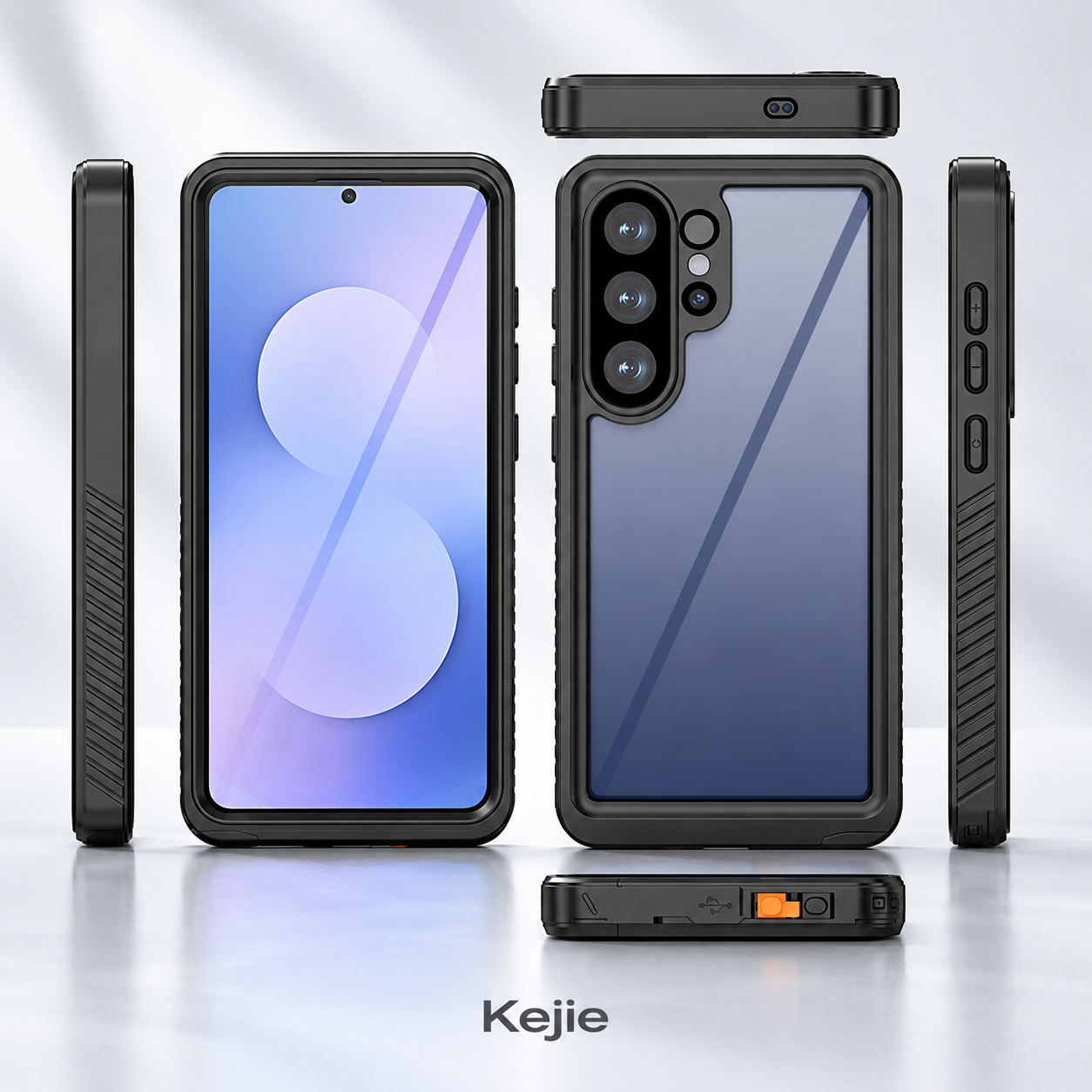
The two rear choices share the full-body product direction but serve different accessory briefs. Standard black keeps the rear selection simple; magnetic black adds a rear magnetic component for a separately matched accessory setup. Make the chosen phone and rear version explicit on each order line.
The practical jobs of the protective sections
| Main case material | PC |
|---|---|
| Phone versions | Samsung Galaxy S26 / S26 Plus / S26 Ultra; separate fitments |
| Enclosure layout | Front section + rear cover, with covered charging-port area |
| Rear selections | Standard black / black with magnetic component |
| Starting order reference | 2 pieces; confirm quantities by phone model and back option |
- Front section: adds coverage around the front of the phone instead of leaving that side completely open; touch response and screen visibility belong in the fitted review.
- Rear cover: covers the phone back and follows the selected camera layout, keeping the rear setup integrated with the enclosure.
- Perimeter connection: joins the front and rear parts around the phone. Consistent seating is part of using the case as a complete assembly.
- Covered port area: provides access for a wired connection and a closure position afterward, so cable clearance and cover seating both matter.
- Optional magnetic rear: lets buyers specify an accessory-oriented version without assuming every black case includes the same rear component.
PC is the stated case material. The front/rear geometry and closure arrangement define this product’s coverage; they should be assessed together instead of assigning performance from the material name alone. The design has no listed kickstand, so desk support should not be added to the feature list by implication.
Front coverage changes the screen and camera review
A full-body format introduces an extra front section into the phone’s normal handling. That can be useful for a coverage-focused brief, but it also means the buying sample should be assessed as an operating phone accessory, not just an empty shell.
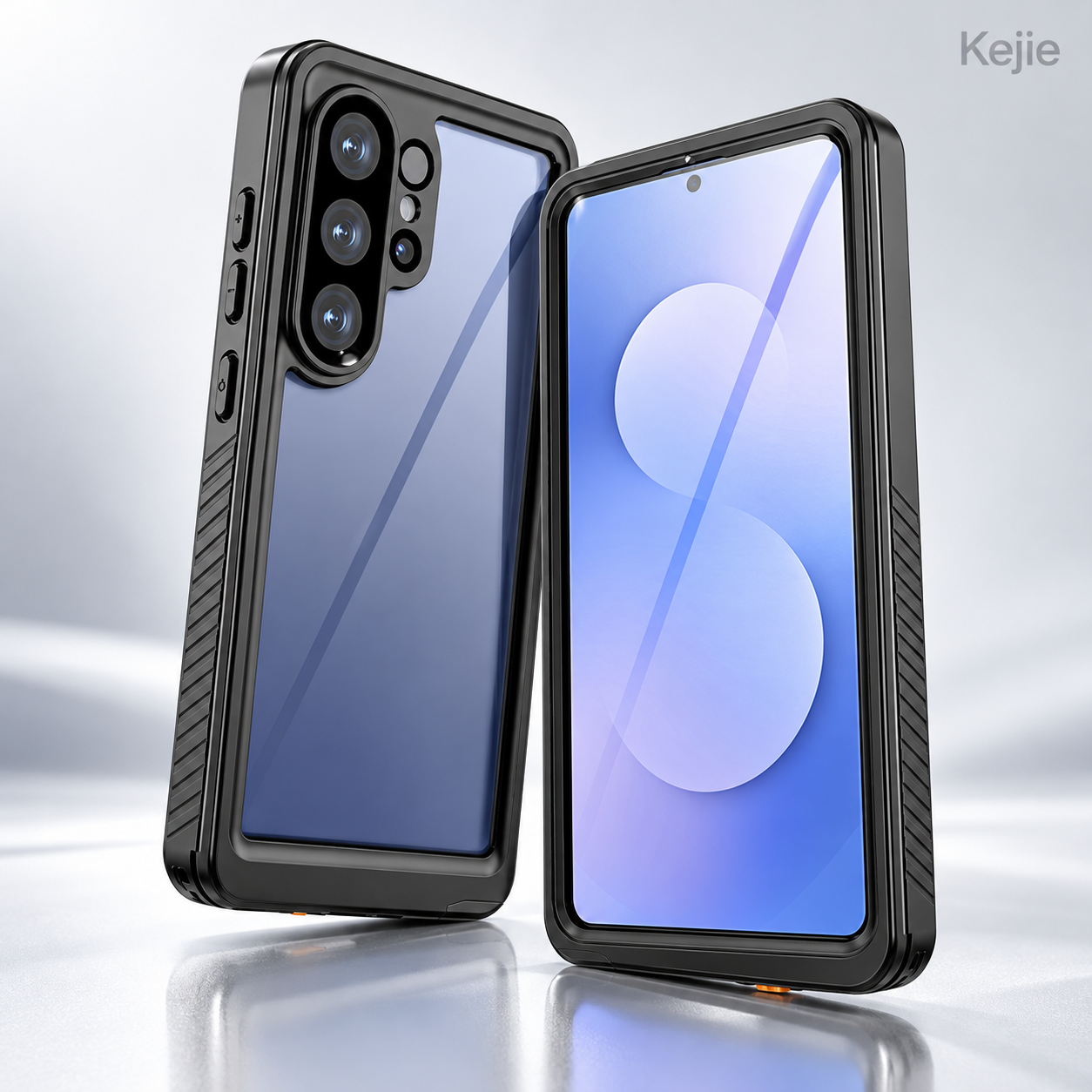
Review screen visibility and normal touch actions in the areas the project needs. Include edge gestures, typing and access to the front-camera region where relevant. If biometric unlocking is required, test that task on the selected phone and case combination rather than treating it as a material specification.
At the rear, compare camera alignment and check the intended photo or video task with the assembled case. At the sides and bottom, assess button travel, cable insertion, speaker output and microphone pickup. The useful result is a case that provides the chosen coverage while remaining practical for the phone functions buyers actually use.
Specify any additional film or screen protector in the sample setup. An added layer can change seating and screen behavior, so the approved combination should reflect the supplied setup. Do not assume an existing accessory can simply be stacked under the new front section.
Fit the front and rear sections as a matched set
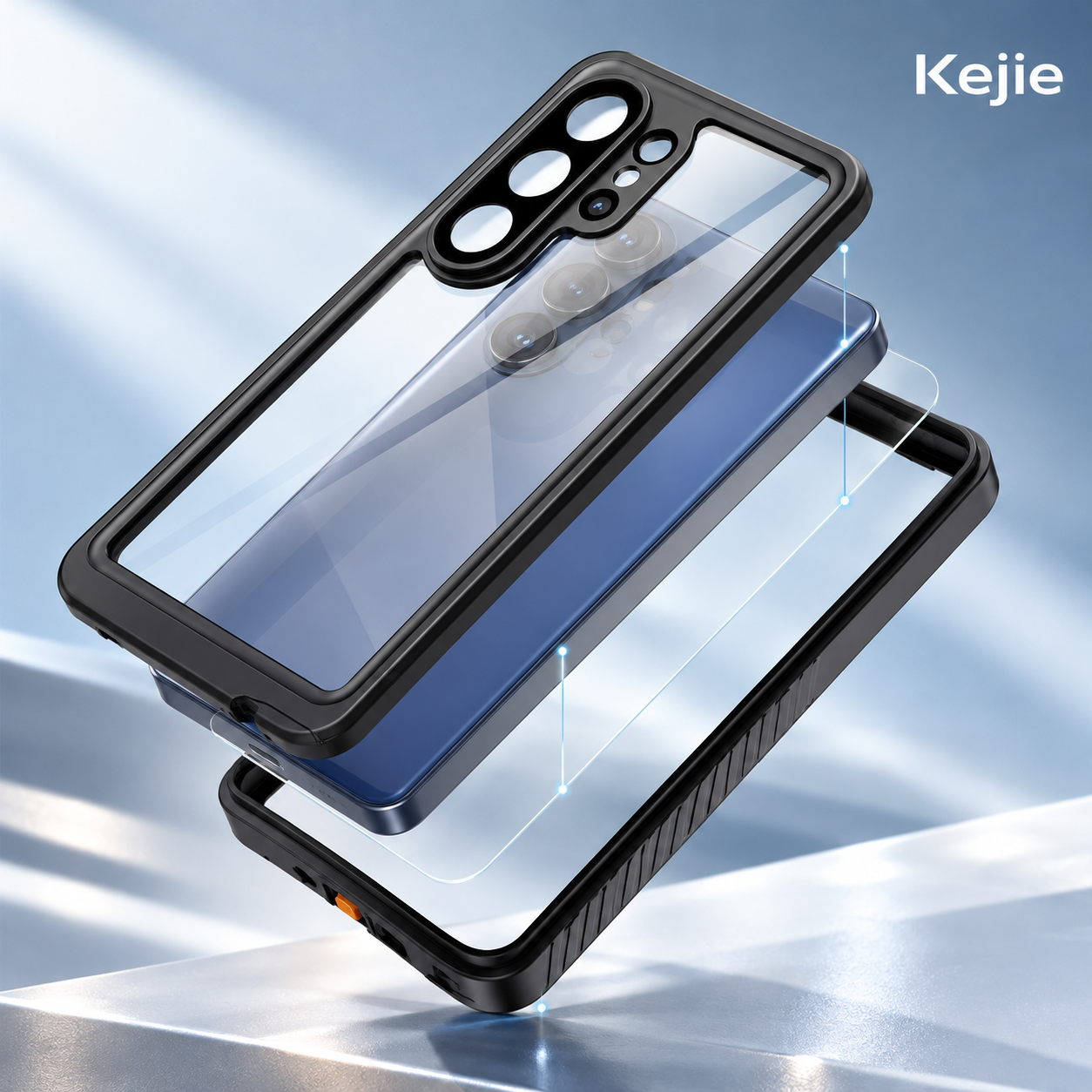
The phone sits between the front and rear case sections, with corresponding edges meeting around the perimeter. The parts must belong to the same phone version and rear setup. A front from one S26 size and a rear from another are not an interchangeable set.
Inspect the mating surfaces and closure components before fitting. Keep the intended contact areas clean and free of trapped material, and check for damage or distortion. Align the phone and both sections before closing; forcing a misaligned section can leave the assembly uneven.
- Confirm the exact phone, rear option and any approved screen accessory against the sample or pack identification.
- Inspect the case sections, closing edges and port cover for clean, undamaged seating surfaces.
- Position the phone and align both sections according to the selected sample’s fitting method.
- Close the intended connection around the perimeter and inspect the complete seating, including corners and the port-cover area.
- Check screen operation, side controls, camera/audio access and the selected accessory tasks before approving the assembly.
The order approval should include how the case is fitted and reopened, not just the final appearance. Confirm the supplied fitting instructions for the chosen version. The assembly view explains the component relationship; the accepted physical sample defines the actual closing method.
Covered port: plan both cable access and closure
The charging-port cover is a working part of the enclosure. Opening it allows a wired connection; returning it to the intended seated position is a separate action after the cable is removed. Include both positions in the sample review rather than checking only a closed product photograph.
Use the intended cable plug to assess the available opening and handling space. Check whether the cover can be opened and stowed clear of the plug, then returned to its normal position without interference. A connector that works on the bare phone may be awkward inside a particular case opening.
For repeated daily access, assess the movement and seating against the approved sample and agreed handling method. Do not assign a cycle life or make exposure assumptions from the presence of a cover. Its value here is defined port coverage with an accessible opening, used as part of the complete fitted case.
Standard black versus magnetic black
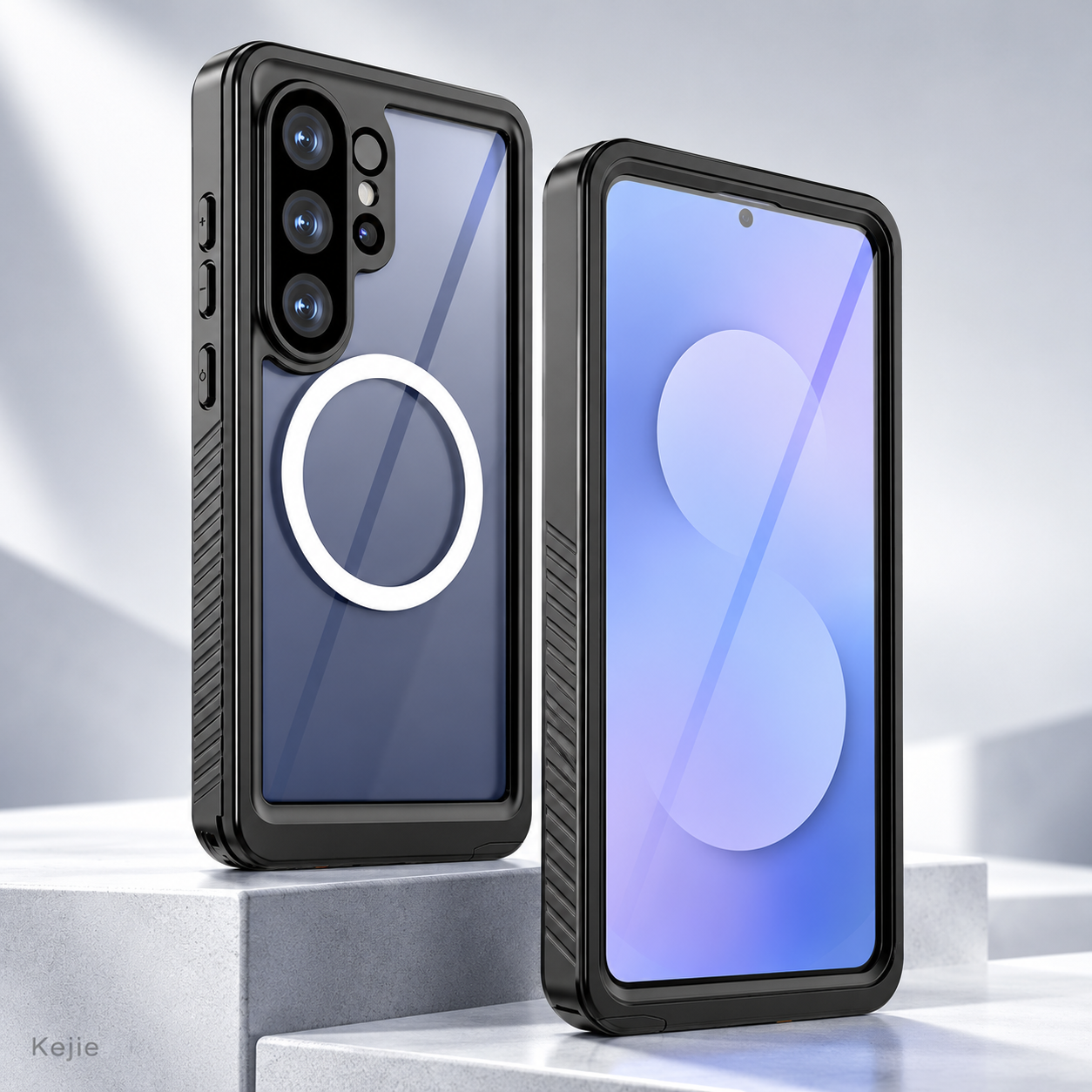
| Selection point | Standard black | Magnetic black |
|---|---|---|
| Back option | Standard rear selection without the optional magnetic component | Rear selection with the magnetic component |
| Best starting brief | Full-body coverage with no magnetic accessory requirement | Full-body coverage plus a named magnetic accessory to evaluate |
| Sample approval | Phone fit, closure, screen and daily access | The same case checks, plus accessory position and holding strength |
| Order labeling | Exact S26 version + standard black | Exact S26 version + magnetic black; do not merge with standard stock |
Our recommendation: start with standard black when enclosure coverage is the primary requirement and magnetic accessories are outside your requirements. Select magnetic black when a named charger or mount needs to be evaluated with this case. Keeping the choice explicit avoids paying for an unwanted function or receiving the wrong rear version.
The magnetic ring shown on the rear is an alignment/attachment component, not a deployable finger ring or kickstand. Specify the accessory model and task before setting acceptance requirements. A ring image alone does not define magnet grade, holding force or certified charging performance.
Match magnetic accessories to the complete fitted case
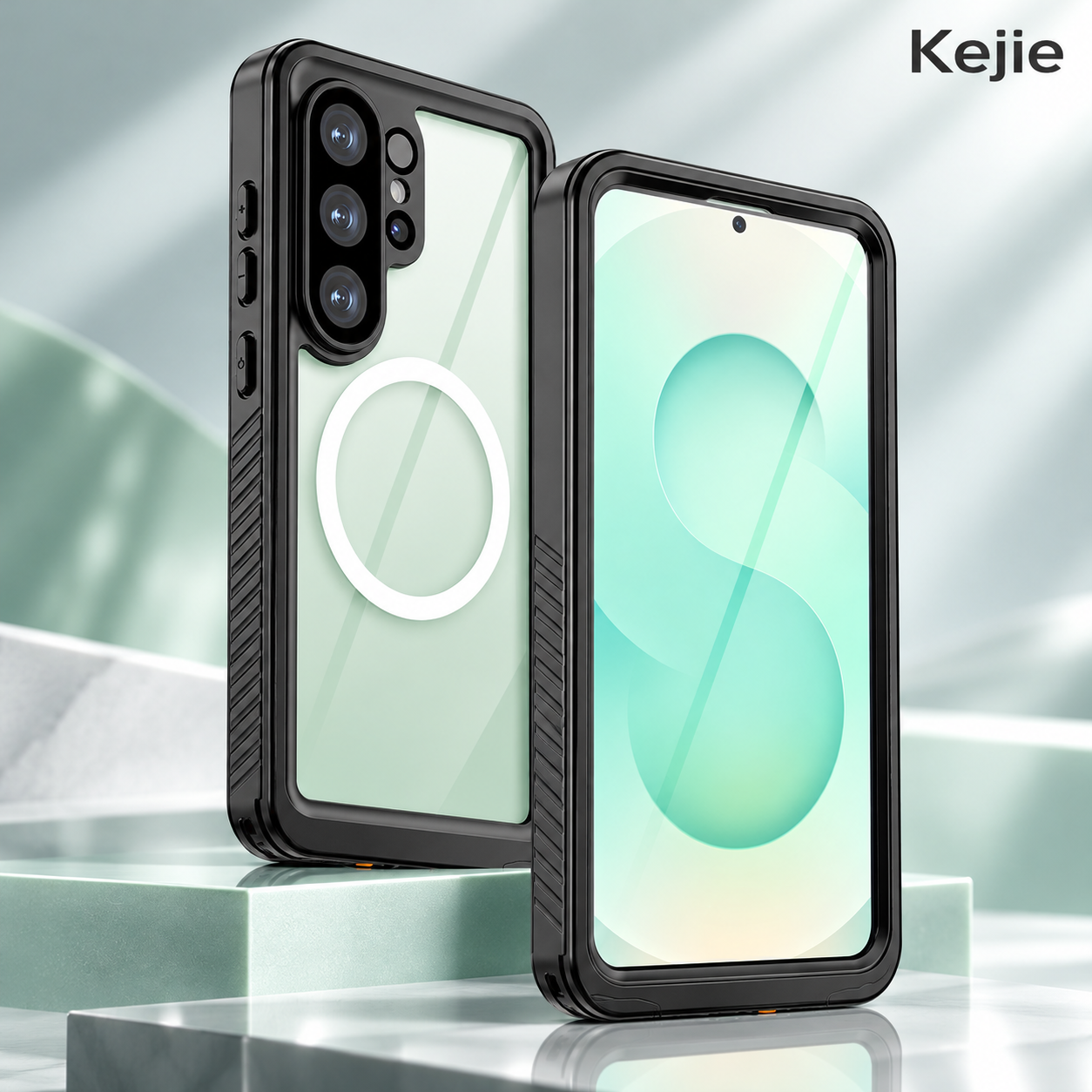
The accessory contacts the assembled rear of the case, so the complete phone/case/accessory combination matters. For a mount, review alignment, contact position and retention in the intended orientation and handling conditions. For a charger, review alignment and actual charging behavior with the intended power equipment and phone.
Keep these tasks separate. An accessory that attaches magnetically has not automatically demonstrated charging behavior, and a charger that starts a session has not established a vehicle-mount retention requirement. Any agreed performance criterion belongs to that exact setup.
State any needed indicator visibility, cable routing or access to controls while mounted. Avoid adding an external plate or another rear accessory without reviewing the changed setup. For a wider comparison, the magnetic phone case collection includes different constructions that may suit a rear-accessory brief better than a full-body enclosure.
Define the protection requirement for the intended use
A useful purchasing brief describes the environment and task: the phone functions that must remain available, how often the case will be opened, what accessories will be fitted and whether a particular exposure requirement applies. That information helps choose and approve the right complete assembly.
If the project requires a specific water- or dust-ingress rating, request the matching product report and check the exact case version, assembly setup, method, conditions and pass/fail rules. Keep the supplied fitting instructions and any maintenance requirements with that reference. A depth or duration should not be selected from the product’s appearance.
Use the same approach for impact requirements: define the setup and criterion, then review appropriate product-level evidence. This page describes the protective enclosure and its working parts; a quantified rating or test result must correspond to the supplied setup before it is used in the order or retail claims.
Choose S26, S26 Plus or S26 Ultra separately
The three selectable versions are Samsung Galaxy S26, S26 Plus and S26 Ultra. Treat each as an individual fitment. The full phone name belongs on the quotation, sample approval and package label alongside standard or magnetic black.
Screen boundaries, camera openings, control positions and the case closing geometry must fit the selected phone. Approve the required front-and-rear pair for each model instead of assuming a shared series name means shared dimensions or interchangeable parts.
For a mixed order, list each model/rear-option combination on its own line with the quantity. Keep those labels distinct during sample review and packing checks. The Samsung Galaxy S Series collection provides other formats if the project needs a different balance of coverage, appearance and access.
Compare enclosure coverage with other S26 constructions
| Buying priority | Useful selection direction | Decision to resolve |
|---|---|---|
| Front/rear sections and covered-port layout | This full-body PC case | Accept the assembled fit and operating behavior; choose standard or magnetic rear |
| Metal-frame appearance and clear rear | Aluminum magnetic-ring S26 case below | Check the covered areas, exact phone model and rear accessory options |
| Slim frame-led handling | Ultra-thin aluminum-frame S26 / S26 Ultra case below | Prioritize the frame profile and separate fitment rather than adopting enclosure assumptions |
These are different construction directions, not interchangeable protection grades. Choose the full-body model when its front-and-rear format and covered-port arrangement answer your requirements. Compare the frame-led alternatives when appearance or reduced framing profile is the stronger buying priority.
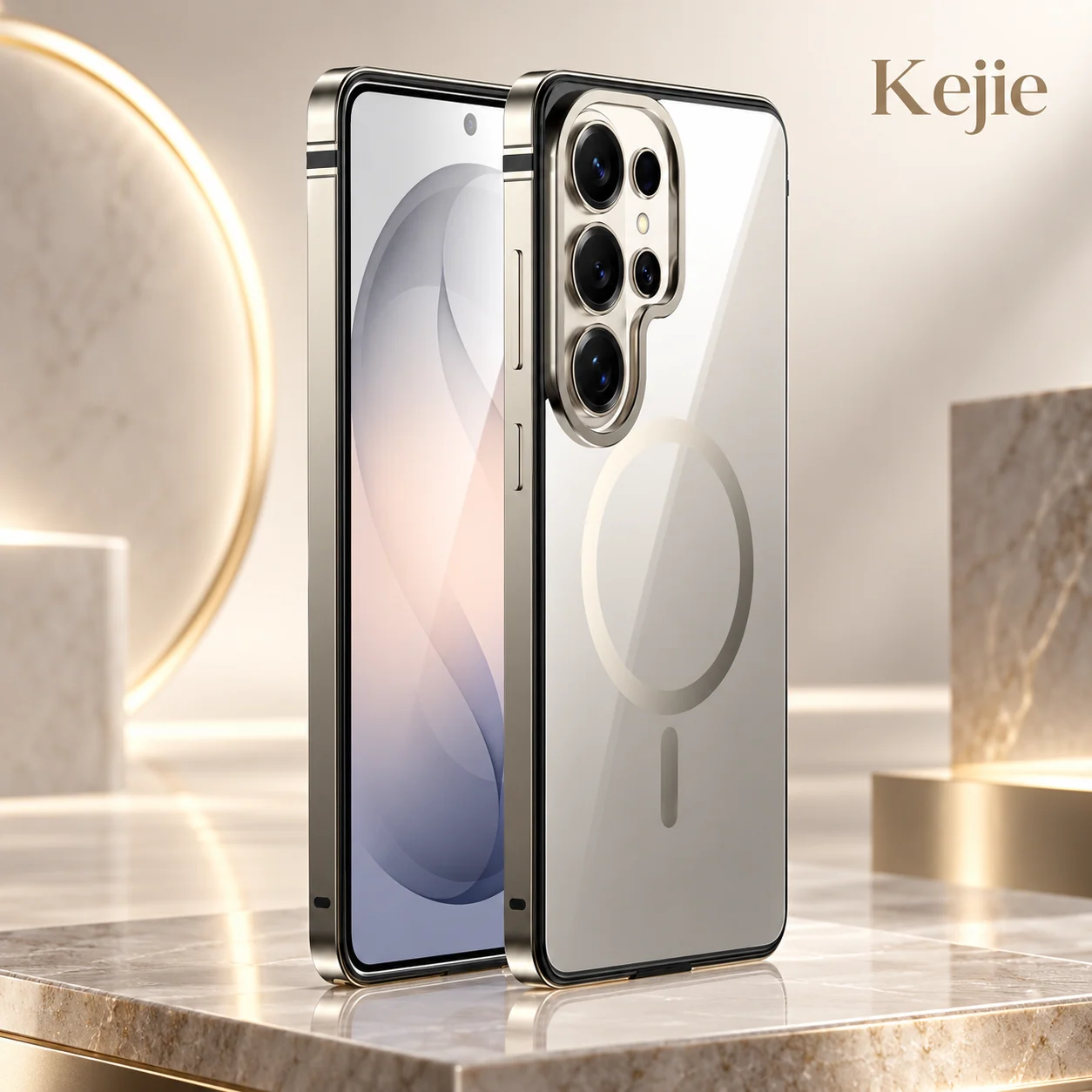
Premium Aluminum Metal Frame Magnetic Ring Case for Samsung Galaxy S26 Series
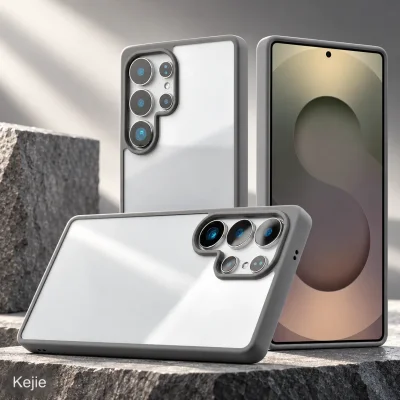
Compare an aluminum perimeter, clear rear area and magnetic ring when your requirements emphasizes a metal-frame appearance and rear accessory use. Review its own coverage and model selections; do not transfer this enclosure’s closing method or exposure requirements.
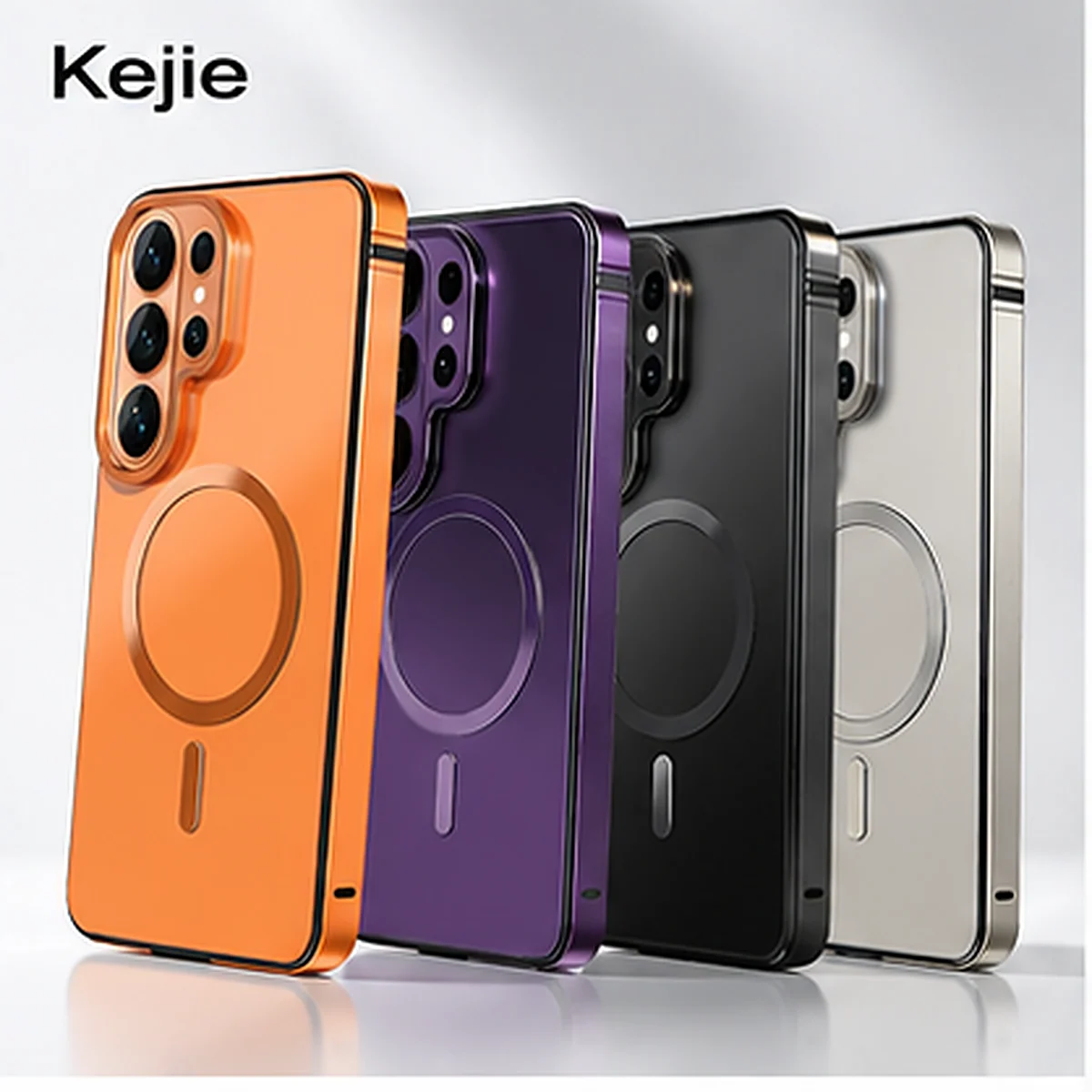
Ultra-Thin Aluminum Frame Magnetic Shockproof Case for Samsung Galaxy S26 & S26 Ultra
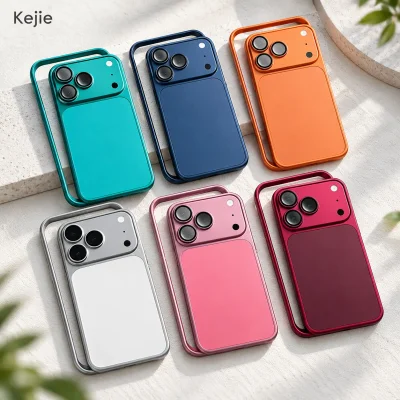
Compare the aluminum-frame construction with inner cushioning when a slim frame profile is the main selection goal. Its stated phone directions are S26 and S26 Ultra; confirm the exact version rather than assuming S26 Plus availability.
Check the Parts, Fit and Everyday Use Together
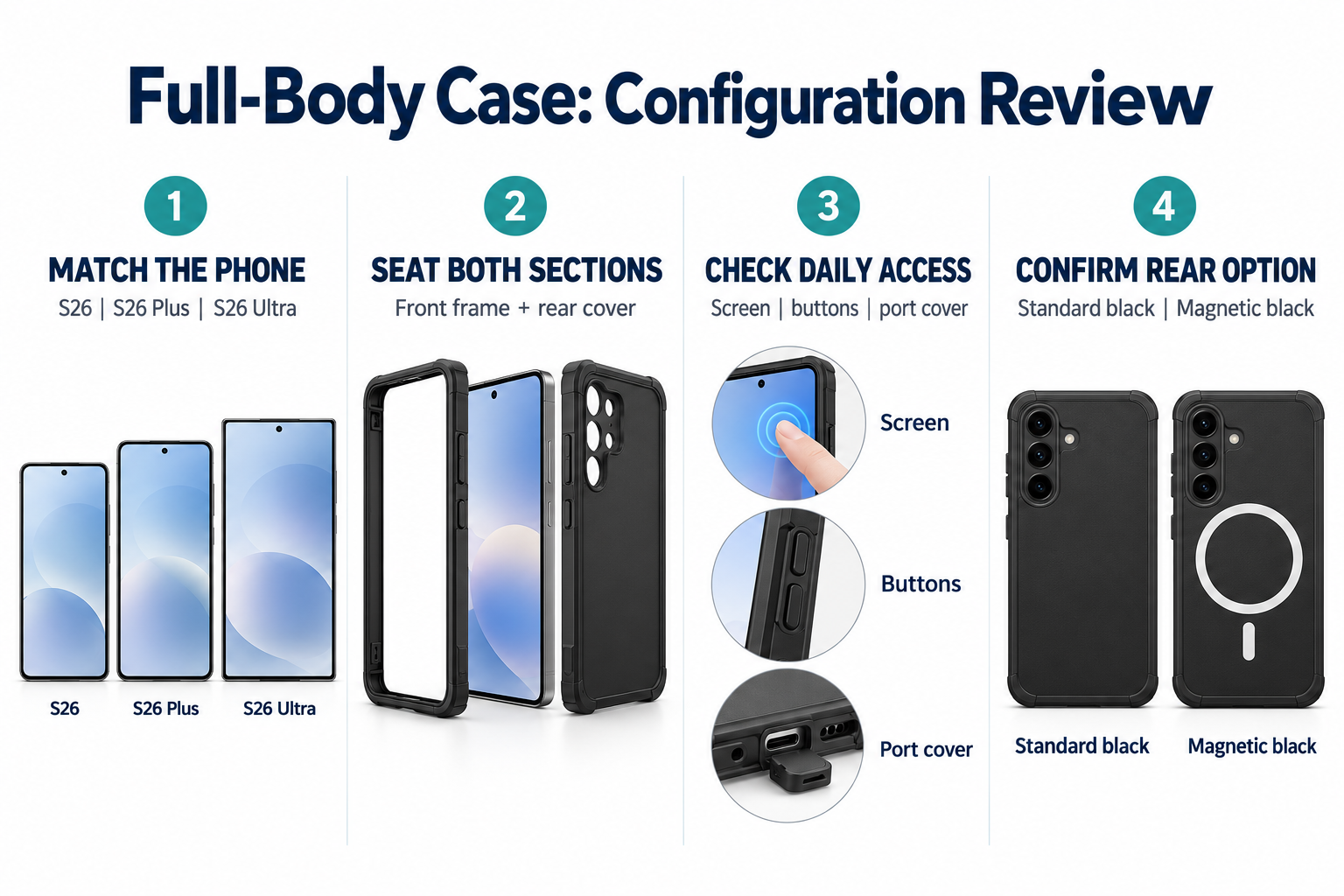
A complete sample review links the selected phone and rear option to the fitting method and intended daily tasks. The agreed sample and written requirements provide a consistent acceptance reference.
- Matched parts: identify the phone version and standard/magnetic rear, and compare both sections with the accepted complete set.
- Perimeter seating: inspect mating edges, corners and closing components before and after fitting; agree the method used to assess consistent closure.
- Port access: use the chosen cable plug, check opening clearance and return the cover to its intended seated position.
- Phone use: check touch, screen visibility, buttons, cameras, microphone and speaker for the tasks specified in the sample requirements.
- Accessory or exposure requirements: identify the exact setup and agreed evidence or method for any requested magnetic, charging, ingress or impact criterion.
- Finish and packaging: compare visible marks, rear setup, any approved logo and the model/option labels; count the complete supplied contents.
Retain the approved reference and identify what it covers. Changing the front section, model, added film, rear component or package contents can change the review scope. Our phone case sample approval guide helps organize those decisions before the order is finalized.
Branding, samples and purchase planning
Logo and Packaging Options
For a branding request, send the artwork, size and desired position on a marked product image. Keep the design away from viewing areas, openings, closing surfaces and any working rear component. Confirm the application method and finished appearance on the chosen surface before approving a decorated setup.
The packing selection is retail packaging. Identify the exact case, rear version and included parts on the contents list, then agree the model label and any packaging artwork. A requested structural change is separate from a surface logo and needs its own feasibility review.
MOQ and small-order preparation
The explicit standard starting reference is 2 pieces. Confirm how that quantity can be allocated across S26, S26 Plus, S26 Ultra and the two rear options. Any branding, packaging change or additional verification work should have its scope and quantity requirements stated separately in the quotation.
The small-order preparation reference is 7 days for quantities up to 5 pieces, subject to the 2-piece starting reference. Orders above 5 pieces need an individual schedule. Confirm availability, the model/rear mix and the schedule’s starting condition; do not treat the small-order reference as a universal production or delivery promise.
Sample and shipping information
Request the model-matched complete sample with the intended screen accessory, cable and magnetic equipment identified in your requirements. Confirm sample charges, any agreed test work and dispatch arrangements separately. Sample evaluation, product preparation and transport are different stages.
The retail-packed unit reference is 20 × 15 × 3 cm and 0.137 kg gross. These are packing figures, not bare case dimensions or net weight. Obtain the final carton dimensions, gross weight and units per carton for the chosen packaging before freight planning. Include the destination and target receipt date so the quotation can address the actual shipment.
Questions about fit, rear options and use
Is every black version magnetic?
No. Standard black and magnetic black are separate selections. Put the chosen rear setup next to the exact phone model on each order line.
Can front and rear sections be mixed across S26 sizes?
No. Use the matched assembly for S26, S26 Plus or S26 Ultra. Check the complete fitted version rather than approving one part and assuming the other is universal.
Can I keep another screen protector underneath?
Review that actual combination on the sample. The added accessory can affect seating and operation, so identify it before the case is approved rather than assuming every film works underneath the front section.
Does the magnetic ring also work as a kickstand?
This rear option is a magnetic component, and no kickstand is listed for the case. A white rear ring should not be interpreted as a movable finger ring or desk support.
Does magnetic attachment guarantee wireless charging?
No. Select the intended charger and review the assembled phone/case setup for the required charging task. Mount retention and charging behavior are separate approval questions.
What is needed for an IP68 requirement?
Request matching evidence for the exact supplied assembly and confirm the test conditions, fitting method and pass/fail rules. A full-body shape or closed port cover alone does not confirm the requested rating.
Does the 7-day reference include testing and delivery?
It is a preparation reference for the stated small-order quantity range. Any sample/test work and transport require separate arrangements, with the quotation stating the applicable start condition.
Request a model-matched enclosure
Send the exact S26 model, standard or magnetic black selection, quantity per version, any existing film, required cable or magnetic accessories, and intended use conditions. Add branding/packing artwork where relevant, plus the destination and target date.
 English
 Español de Argentina
 Русский
 Italiano
 日本語
 한국어
 العربية
 Français
 Deutsch