
FEATURES
A printable case for a coordinated Samsung and iPhone collection
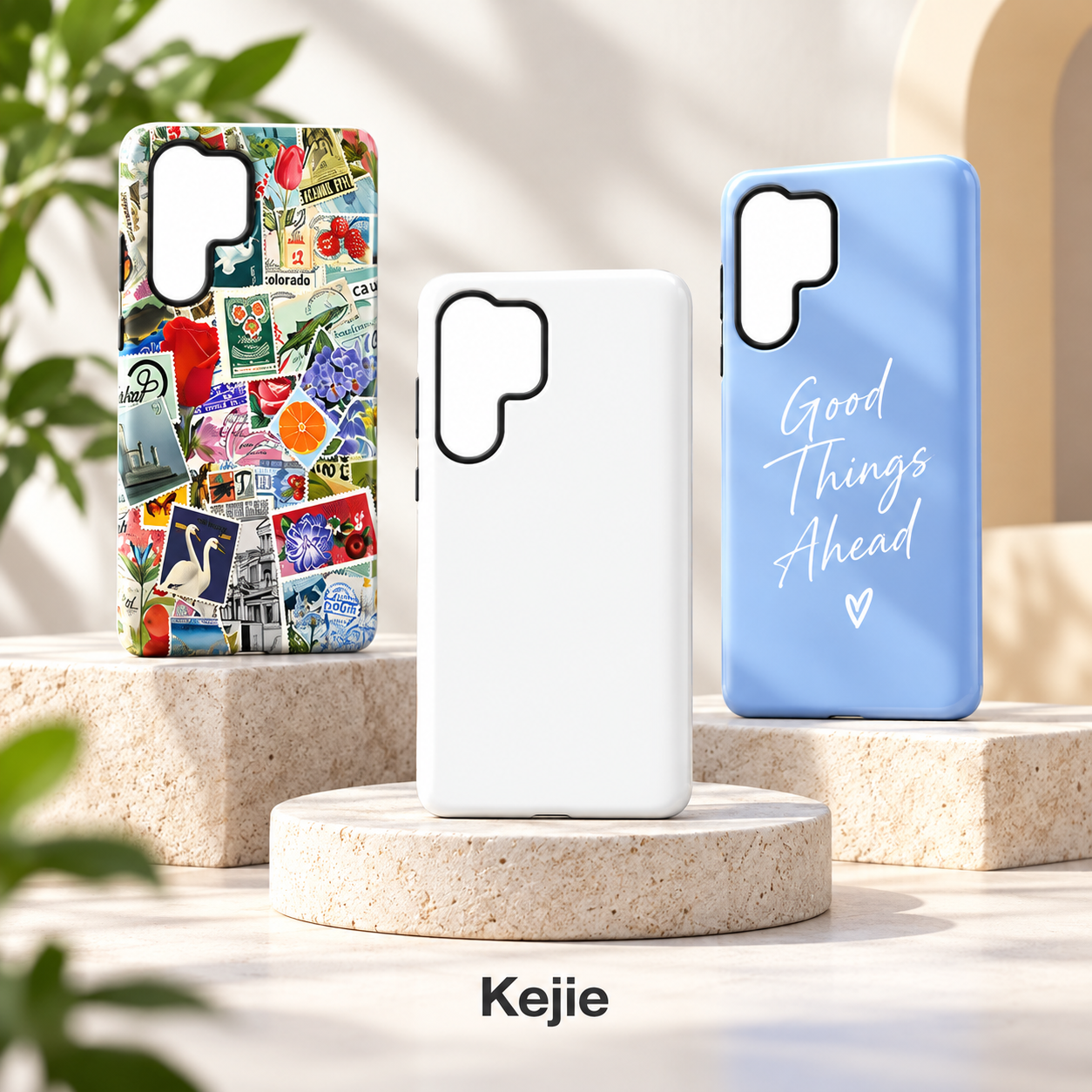
This sublimation phone case combines a TPU fitting structure with a rigid PC back for artwork-led Samsung Galaxy S26 and iPhone ranges. Choose a blank or decorated back, a matte or glossy finish and the exact phone version. The 2-in-1 construction pairs a flexible phone-holding component with a structured rear surface for heat-transfer artwork.
The main reason to choose this platform is control over the back design: a logo-led range, a repeat pattern, a photograph or an existing decorated option can share one visual theme across different phone versions. Each version still needs its own case outline and artwork placement. A Samsung camera opening cannot be treated as the same print template as an iPhone opening.
Start with the model list and the artwork task together. This is an artwork-focused back-cover case, rather than a wallet, kickstand or magnetic-accessory model. That distinction keeps your requirements focused on the printed surface, fit, finish and presentation that the customer will actually see.
What the hybrid construction contributes
| Materials | TPU + PC; 2-in-1 construction |
|---|---|
| Decoration | Sublimation / heat-transfer artwork on the back |
| Finish choices | Matte or glossy; selected decorated options |
| Samsung fitments | Galaxy S26 / S26 Plus / S26 Ultra |
| iPhone fitments | Selected iPhone 12–17 versions; full list in detailed specifications |
The TPU component supplies flexibility around the phone-fitting structure, while the PC component supplies the firmer rear form. This combination is useful when the project needs both a defined artwork surface and a case that fits around the phone. It is different from printing on an entirely soft single-material shell.
- A back dedicated to artwork: the visible rear area provides the main design surface for graphics, photographs and logos.
- Phone-specific geometry: individual camera openings and case outlines let the design be adapted to the selected phone.
- Blank or decorated supply: the buying route can start with a compatible blank or with a selected finished pattern.
- Two finish directions: matte and glossy options let the appearance be selected with the artwork, rather than leaving surface reflection as an afterthought.
When comparing samples, examine the assembled case as well as the print. The edge feel, controls and fit are part of the finished product even when the image is its main selling point. Our TPU and PC material guide explains the different roles of flexible and rigid components.
Matte or glossy: choose the finish with the design
| Decision | Matte direction | Glossy direction |
|---|---|---|
| Surface appearance | A more diffused reflection and subdued presentation | A more reflective presentation with visible highlights |
| Start with These Details | Understated logos, soft palettes and a less reflective look | Artwork intended to have a polished, reflective presentation |
| Color approval | Judge the finished print in the selected matte surface | Judge the finished print in the selected glossy surface |
| What the name does not decide | Fingerprint resistance, scratch life and print durability still depend on the actual finish | Gloss alone does not confirm better detail, adhesion or wear resistance |
Our recommendation: compare the same artwork on the two finishes before choosing a collection standard. A pale floral design, a solid dark area and small lettering reveal different aspects of the surface. Look at them under the same lighting so that a change of reflection is not mistaken for a different print color.
For a restrained visual range, matte is a sensible direction to sample first. For a reflective, polished look, start with glossy. Neither finish is automatically the better choice for every picture. Keep the chosen finish in the product code or order description so that a later reorder does not switch the appearance unintentionally.
Make the artwork work around the camera and edges
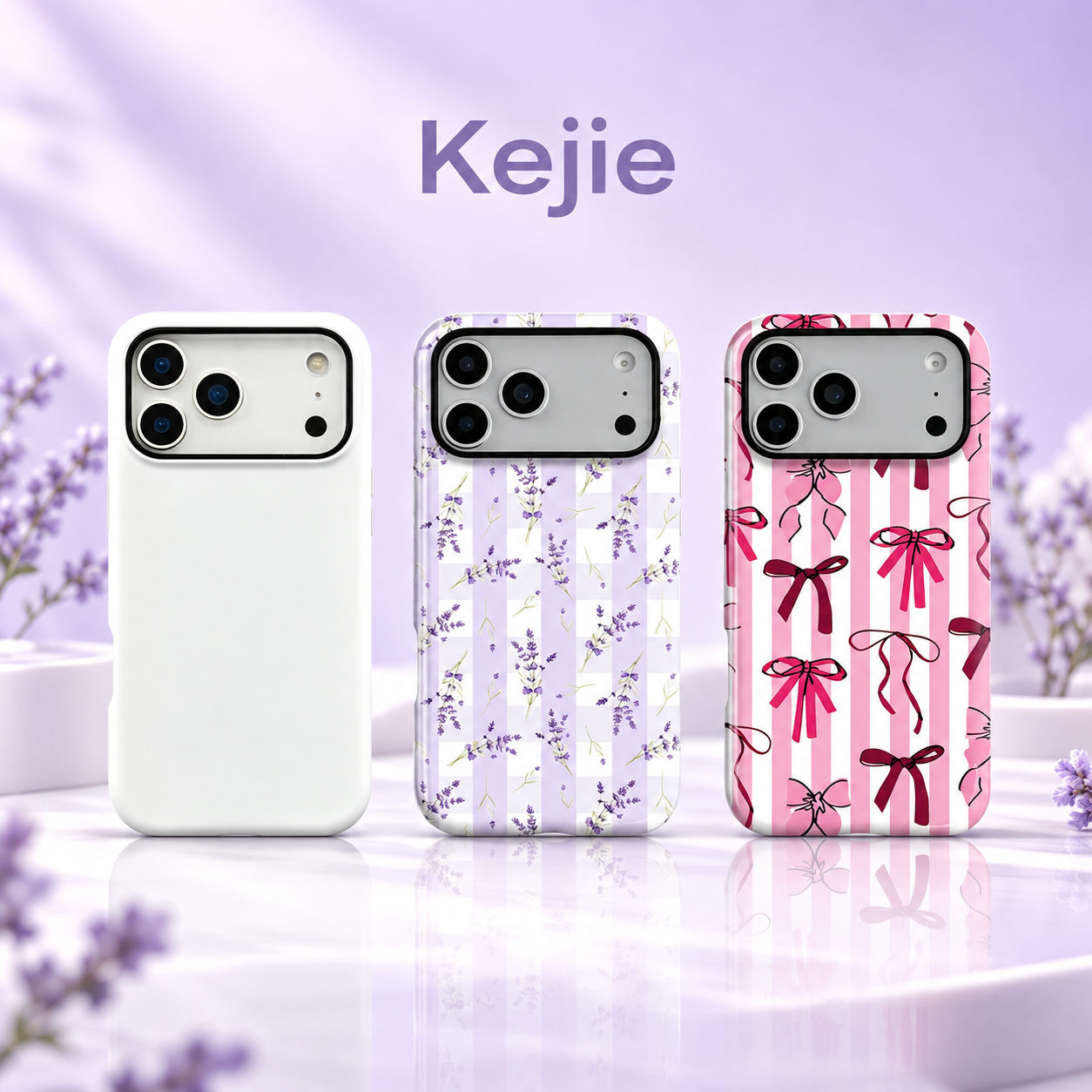
A phone back is not a rectangular poster. The camera opening removes part of the printable composition, and the perimeter determines where a pattern ends. A logo, face, word or key illustration should have a deliberate position on the actual model outline. Simply shrinking one rectangular image to every phone size can alter the balance of the design.
Single logos and photographs
Choose the focal point before setting the crop. For a photograph, keep faces and essential details away from the camera exclusion and final trim area. For a logo, specify its physical size and position rather than asking only for “centered”: the visual center of the remaining back area can differ from the center of the whole case outline.
Repeated patterns and coordinated sets
Decide whether the motif size should remain constant across all phones or be scaled to each back. Constant motif size gives a consistent pattern language, while resizing changes the number and spacing of visible elements. Either can work if it is intentional. Review partial motifs around the camera opening and edge, especially bows, stripes and lettering where an awkward crop is easy to notice.
The decoration option for this product is the back. Edge wrapping, printing on flexible components or a fully continuous side-to-back image needs a separately agreed scope. The term “2-in-1” describes the case construction; it does not confirm a detachable print insert or an aluminum sublimation plate.
Check the case profile as carefully as the printed back
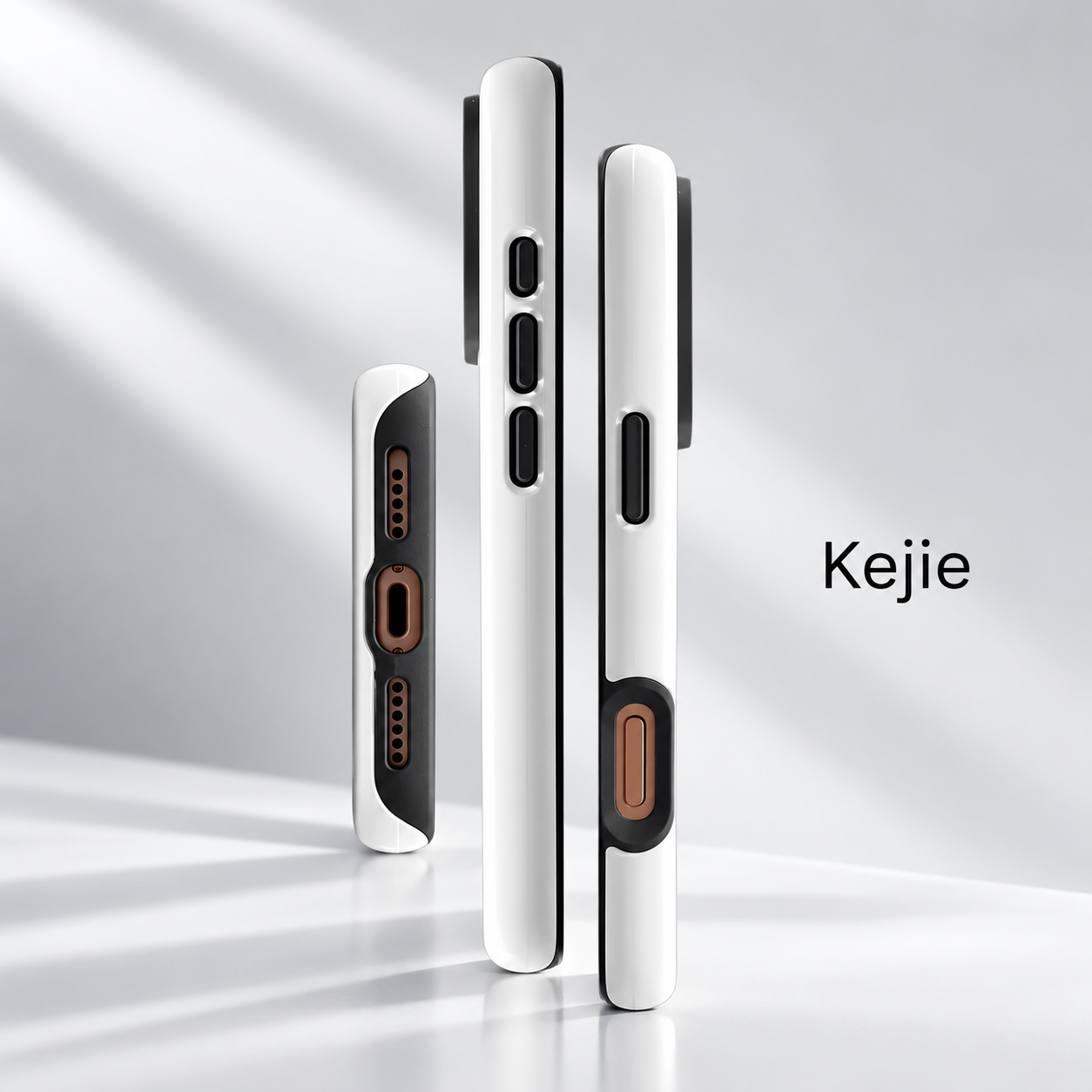
The rear image attracts attention, but the side profile determines how the case is handled. Review the boundary between the printed back and the fitting component, the camera surround, the control areas and the bottom access on the exact phone. An attractive flat artwork proof cannot show whether those details fit correctly.
A close view is also useful for agreeing the intended print boundary. Keep a distinction between the graphic edge, the physical edge of the case and any unprinted frame. If a design uses a solid background or a border, approve how it meets those boundaries instead of relying on a front-facing product render.
Choose an artwork-focused shell when visual personalization leads the project. If your requirements also requires a magnetic ring, card storage or a support mechanism, compare a product designed around that function. Adding a graphic does not add those structures to this model.
One design theme, separate phone versions
The Samsung selection is Galaxy S26, S26 Plus and S26 Ultra. The iPhone selection covers specific versions from the 12 through 17 generations, including Plus, Pro, Pro Max and Air options where listed. The complete phone selections are set out in the bottom specifications; not every family includes every suffix.
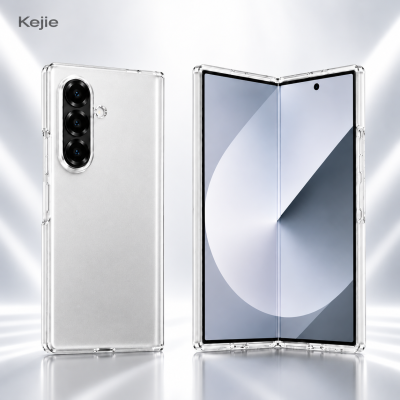
Keep three things separate on each order line: the phone fitment, the design revision and the finish. A lavender pattern can be used as the common theme across Samsung and iPhone, but the final crop and camera clearance need approval for each outline. The local product images show both phone directions, not a single shell that fits both brands.
For a coordinated collection, retain a master design and a separate final layout for each model. This makes a later revision traceable: changing the Samsung layout should not silently replace the approved iPhone layout. For other hybrid structures, compare the TPU + PC phone case collection.
Order Blank Cases or Cases with Your Design
| Buying question | Blank-case route | Finished-design route |
|---|---|---|
| Who completes the decoration? | The buyer arranges the later printing setup | The order includes the selected finished artwork |
| What should be specified first? | Exact phone, compatible blank surface and matte/glossy option | Exact phone, design file or pattern reference, crop and finish |
| What should the sample resolve? | Suitability of the blank for the intended transfer setup and final assembly | Print position, image quality, finish and fit of the decorated case |
| What should be compared in the quote? | Blank supply and any separate decoration/handling costs | Case, agreed design work and packaging |
Choose blanks when your project already has a decoration workflow and needs an appropriate case platform. Confirm the blank and finish with that setup before committing to a larger order. Heat-transfer settings depend on the selected surface and equipment; one generic temperature or duration should not be applied to every blank.
Choose finished cases when you want the artwork and the physical product approved together. This is a useful route for a coordinated graphic collection, because the chosen crop, color and finish can be retained as the reference for each model. Existing patterns can simplify the design brief when they already suit the intended range, while original artwork needs its own final file and approval.
From artwork file to a finished-sample approval
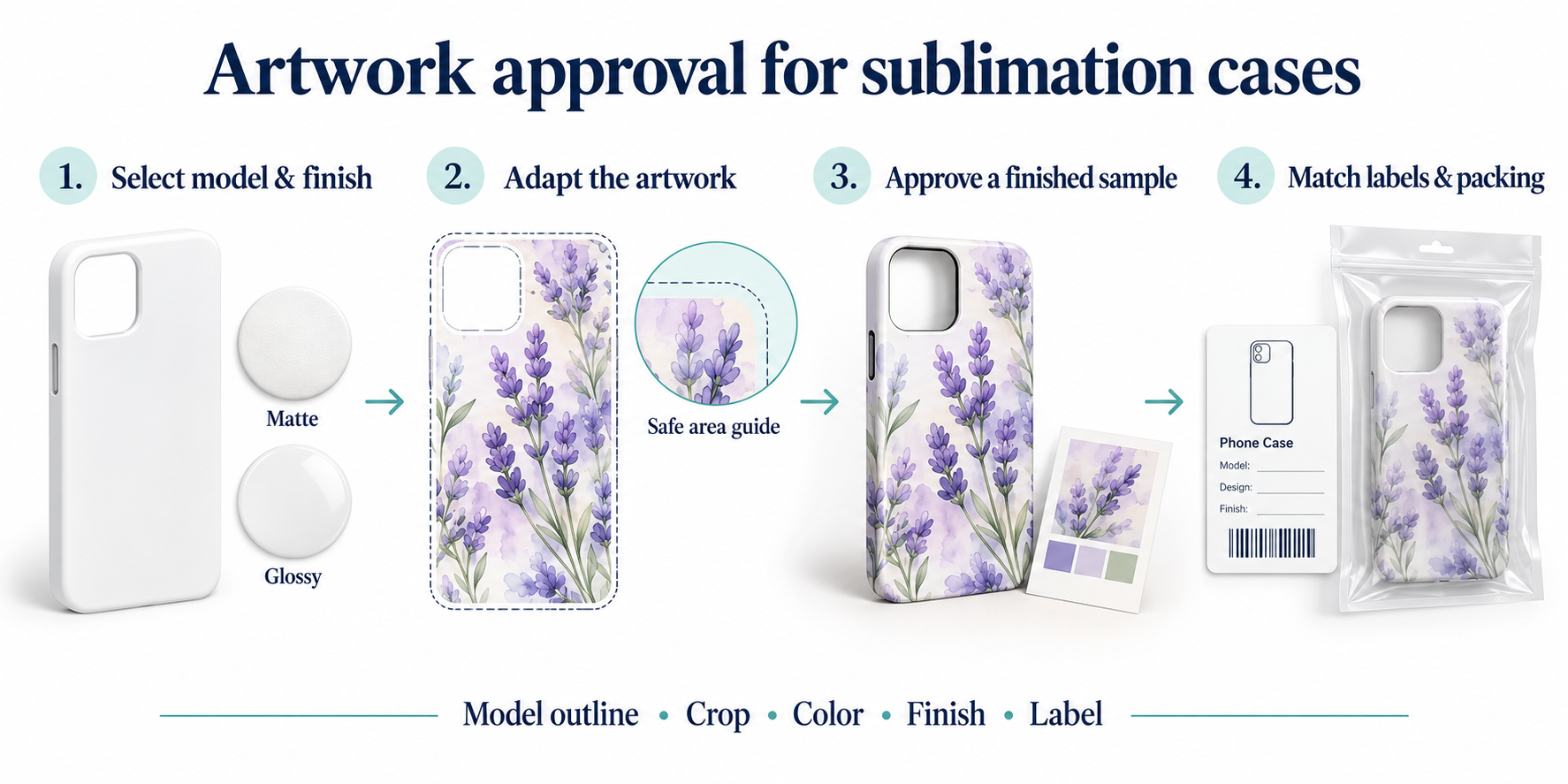
Use this approval sequence to keep the phone model, artwork file version, physical finish and packing information on one consistent order brief.
- Define the product: choose each phone, blank or finished supply, matte or glossy surface, and quantity by model/color.
- Prepare the design: send the original artwork file. Confirm the print area for each phone model, keeping key details clear of the camera opening.
- Approve the decorated sample: review crop, pattern scale, color, fine lettering and the chosen finish, then fit the case to the exact phone.
- Keep your order records: retain the accepted file version, sample reference and model/design/finish labels with the packaging requirements.
For logos, provide editable vector artwork where available. For photographs or detailed illustrations, provide a high-resolution original at the intended print size. Keep editable files rather than relying only on screenshots or compressed messaging previews. File compatibility and the final template are agreed for the chosen case and workflow.
A mockup helps settle placement; a finished sample settles the appearance on that surface. Our phone case artwork and sample approval guide explains how to keep case artwork, logos and packaging files as separate approval items.
Who This Case Is For
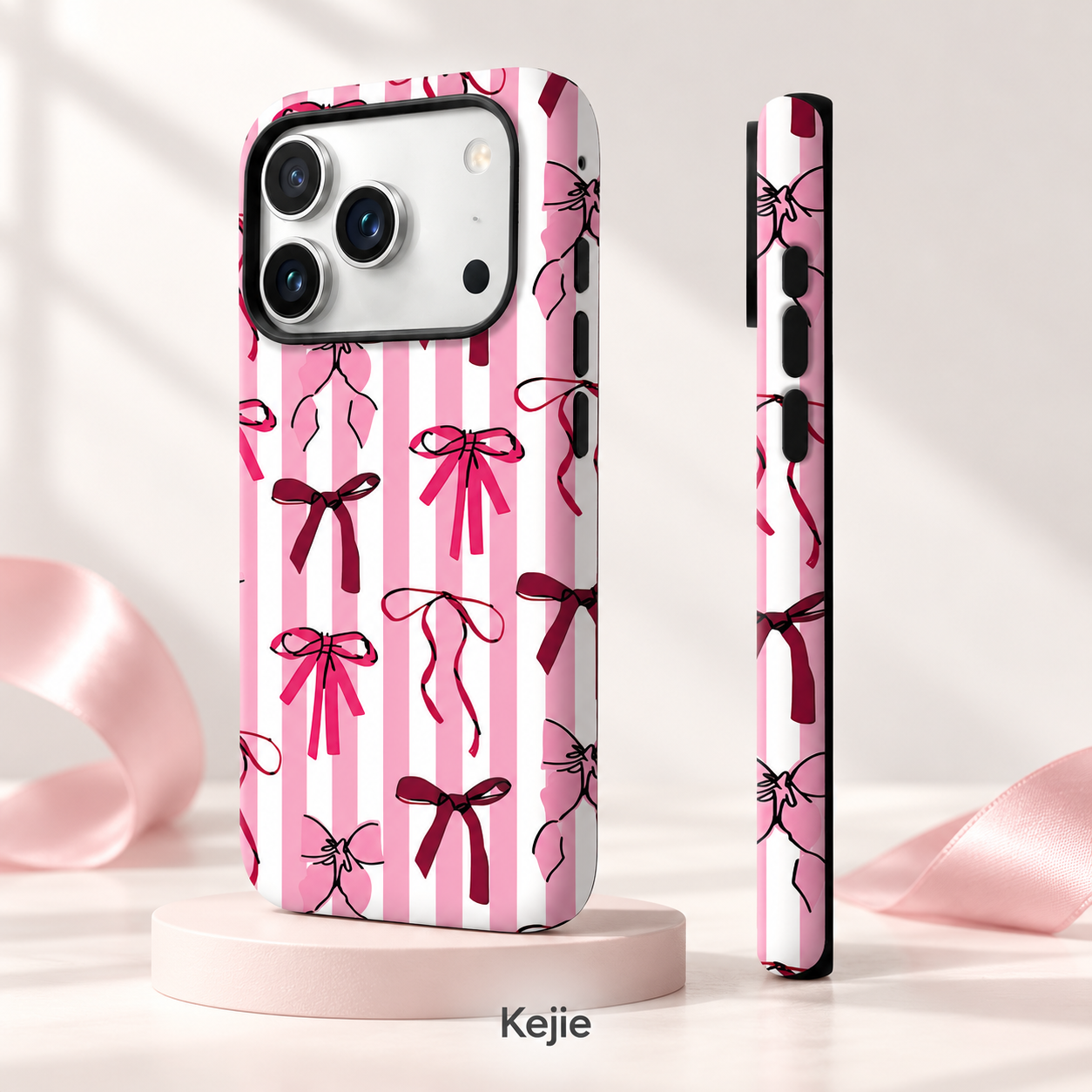
Illustration-led collections: floral, bow, collage and repeat-pattern directions can use the back as the main canvas. A coherent palette can connect different model versions without pretending their outlines are identical.
Logo-led brand accessories: a plain or restrained background leaves space for a recognizable brand mark. Its value comes from deliberate size, contrast and placement, rather than repeating a large product name around the camera opening.
Photo or personalized-design projects: the blank/decorated choice supports a decision about where artwork is completed. The important practical question is whether the actual blank, file and selected printing setup have been approved together.
These are use directions for the stated printing platform. They do not require every project to include every model or pattern. Select the smallest coherent set that meets your requirements, then expand using the same approved design references.
Related products: choose the function before the decoration
Use these alternatives when your requirements changes. A printed magnetic hybrid, a solid-color soft shell and a Samsung metal-frame case solve different product needs; their samples and decoration methods should not be treated as interchangeable.
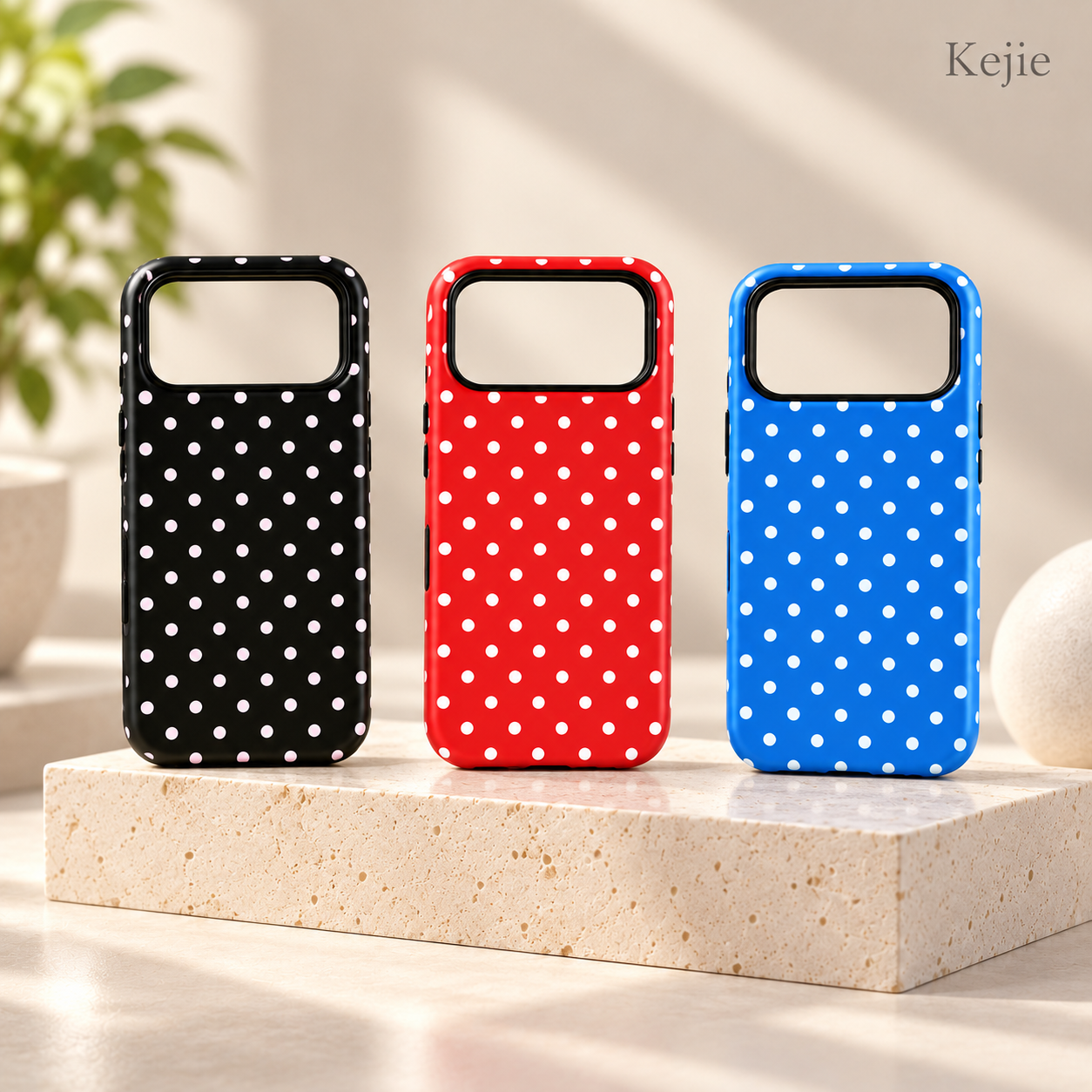
Magnetic Polka Dot TPU + PC Shockproof Case for iPhone 17 Series
Compare this iPhone 17 design when a coordinated pattern and magnetic accessory use both belong in your requirements. It is a different functional platform from this artwork-focused sublimation direction.
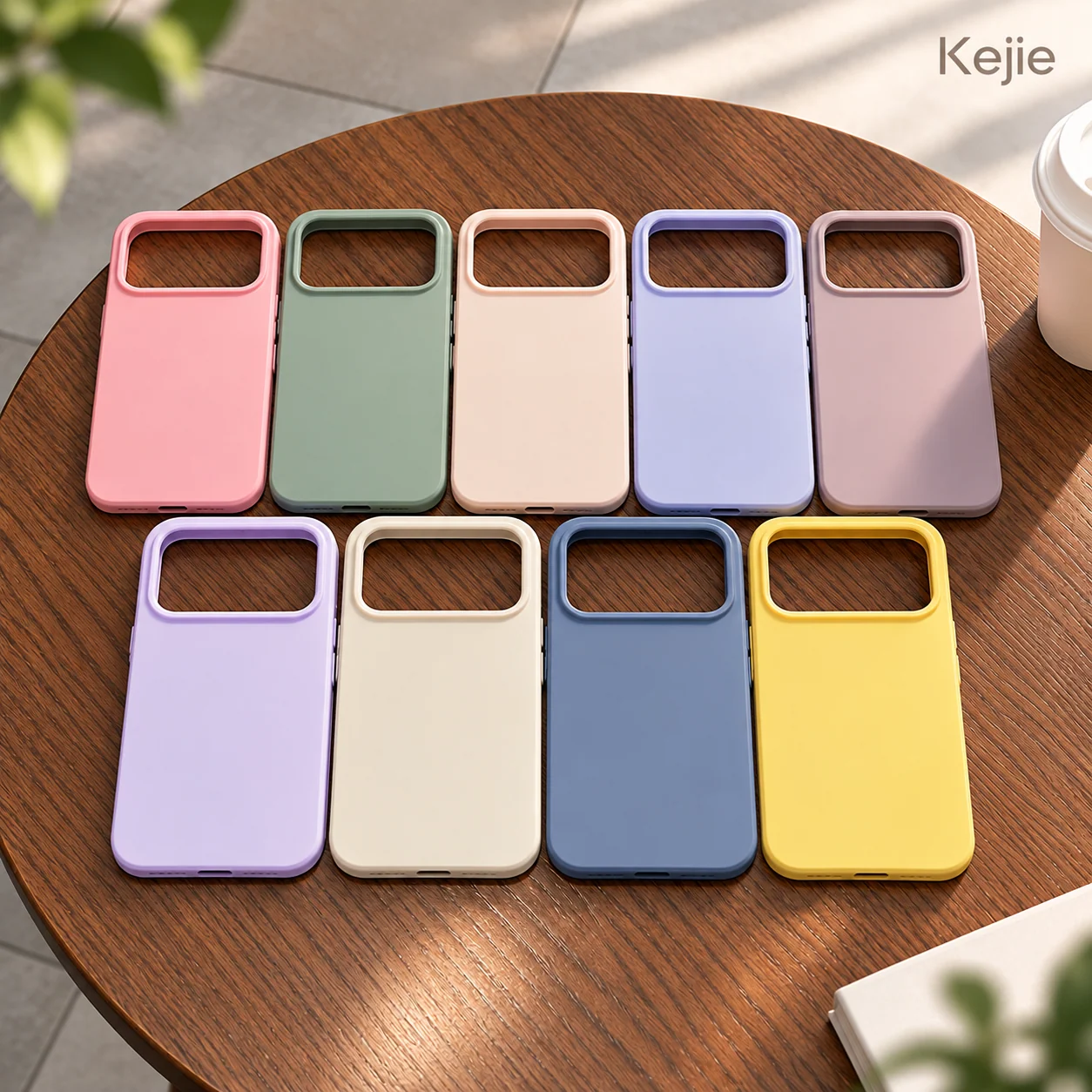
Macaroon Color Matte TPU Shockproof Phone Case for iPhone
Start here when the customer wants a matte color range and a flexible TPU shell rather than a rigid printable back. Do not assume that decoration on a soft shell uses the same setup as this sublimation platform.
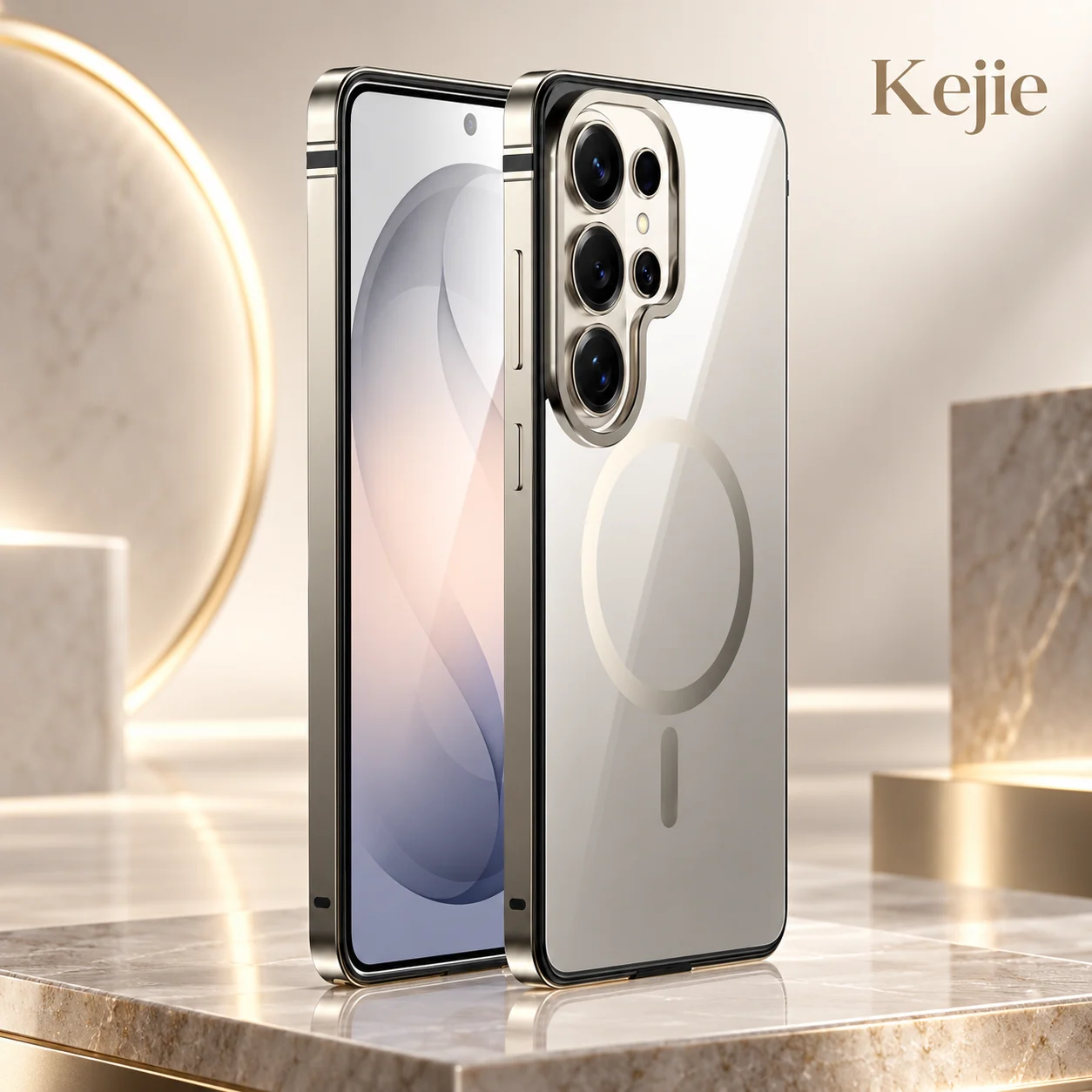
Premium Aluminum Metal Frame Magnetic Ring Case for Samsung Galaxy S26 Series
Compare this when the Samsung project prioritizes an aluminum-frame appearance, a clear rear and a magnetic ring instead of a full artwork-led back. Confirm the exact phone and intended accessory on that product.
MOQ, design splits and a practical quotation
The standard minimum is 50 pieces per color and model. Logo/graphic heat-transfer work has a separate 50-piece minimum reference, while printed packaging starts at 3,000 pieces. A small printed-case order therefore does not automatically qualify for an equally small custom packaging run.
Show the quantities by model, finish and design. For example, Samsung S26 in matte and iPhone 17 Pro in glossy are different setups even if they share the same artwork theme. Do not assume a total of 50 spread across several models satisfies a 50-per-model requirement. The quantity split of multiple artworks within a model/color quantity needs to be included in the quotation.
The relevant price factors are the selected blank or decorated setup, phone mix, finish, artwork work, order quantities and packing. Comparing a blank price with a finished branded case price hides those differences. Use the same specification and acceptance reference when comparing quotations.
Preparation and sample planning
The preparation references are 7 days for the quantity band up to 50 pieces, 10 days for 51–10,000 pieces, and 14 days for 10,001–50,000 pieces; above 50,000, the schedule is agreed individually. Apply the 50-piece model/color minimum before using these bands. The applicable start date, blank availability, artwork approval and packing work must be agreed for the order.
Allow separately for a blank review or a decorated approval sample and for transport. State which sample you need and what it must demonstrate. Charges, dispatch arrangements and any revisions belong in the quotation; the preparation references are not a fixed sample or arrival promise.
Agree print, fit and packing checks together
Use the approved decorated sample and file version for the selected model and finish as the comparison reference. A print review should remain linked to the case that will actually be supplied.
- Artwork check: compare the file version, logo size, direction, pattern size and design around the camera with the approved layout.
- Finished appearance: compare color, fine detail, visible marks and the matte/glossy surface under agreed lighting and viewing conditions.
- Print area: check where the print ends and the frame begins. Confirm whether printing covers the sides; do not assume it does.
- Case fit: check installation, component assembly, camera clearance, controls and port access on the exact phone.
- Order identity: match each model/design/finish label, unit count and packing version to the order list.
If wear, adhesion or color-retention performance matters to your requirements, agree the method and acceptance limits before the order. A finish name or attractive sample image is not a result for those requirements.
The standard individual pack is an OPP bag. The packed-unit reference is 18 × 12 × 3 cm and 300 g gross, not the bare case dimensions or net weight. A printed retail pack is a separate scope with its own layout and quantity requirement. Use the final packing specification and carton measurements for freight planning.
Sublimation case questions
Can the same artwork be used for Samsung and iPhone?
Yes, as a common design theme. Keep separate layouts for each phone so that important details survive the camera opening and crop. One approved artwork outline does not approve every case version.
Is this the same as a TPU case with a printed sticker?
The stated decoration route is sublimation / heat-transfer artwork on a TPU + PC platform. The blank and finish must match that route. A sticker, UV print or another method is a different decoration brief and should not be substituted without agreement.
Does a glossy finish make the case more protective?
Glossy describes the surface appearance. It does not confirm a stronger shell, a drop rating or better print life. Choose the finish for the required appearance and assess the assembled case and agreed performance separately.
Are the sides included in the artwork area?
The printing option is the back. Specify any requested continuation to an edge or side as a separate requirement, with a sample showing the agreed boundary. Do not assume all-over printing from a product photograph.
Can a blank be printed using my current equipment?
Confirm the exact blank surface and finish with the intended setup, then evaluate a trial decorated sample. Transfer settings and any assembly steps are specific to the selected setup; no universal temperature or duration is assigned to every model.
Does the case include magnets or a stand?
This product direction is a sublimation back-cover case with no integrated stand specified. Choose a separately confirmed magnetic platform if magnetic attachment is required; the related products provide starting comparisons.
Can I order 50 cases with 50 printed boxes?
The case and printed-packaging minimums differ. The standard case minimum is 50 per color/model and the printed-packaging reference is 3,000. Ask for the OPP-bag setup or a separately quoted packing option for a smaller project.
Send a model-by-design request
Send the Samsung/iPhone models, quantity per model and color, blank or decorated requirement, matte/glossy choice, artwork files, desired print boundary and packaging scope. Include the approval sample you need, destination and target date. Keeping those items on one versioned brief gives the case, artwork and quotation the same reference.
 English
 Español de Argentina
 Русский
 Italiano
 日本語
 한국어
 العربية
 Français
 Deutsch