
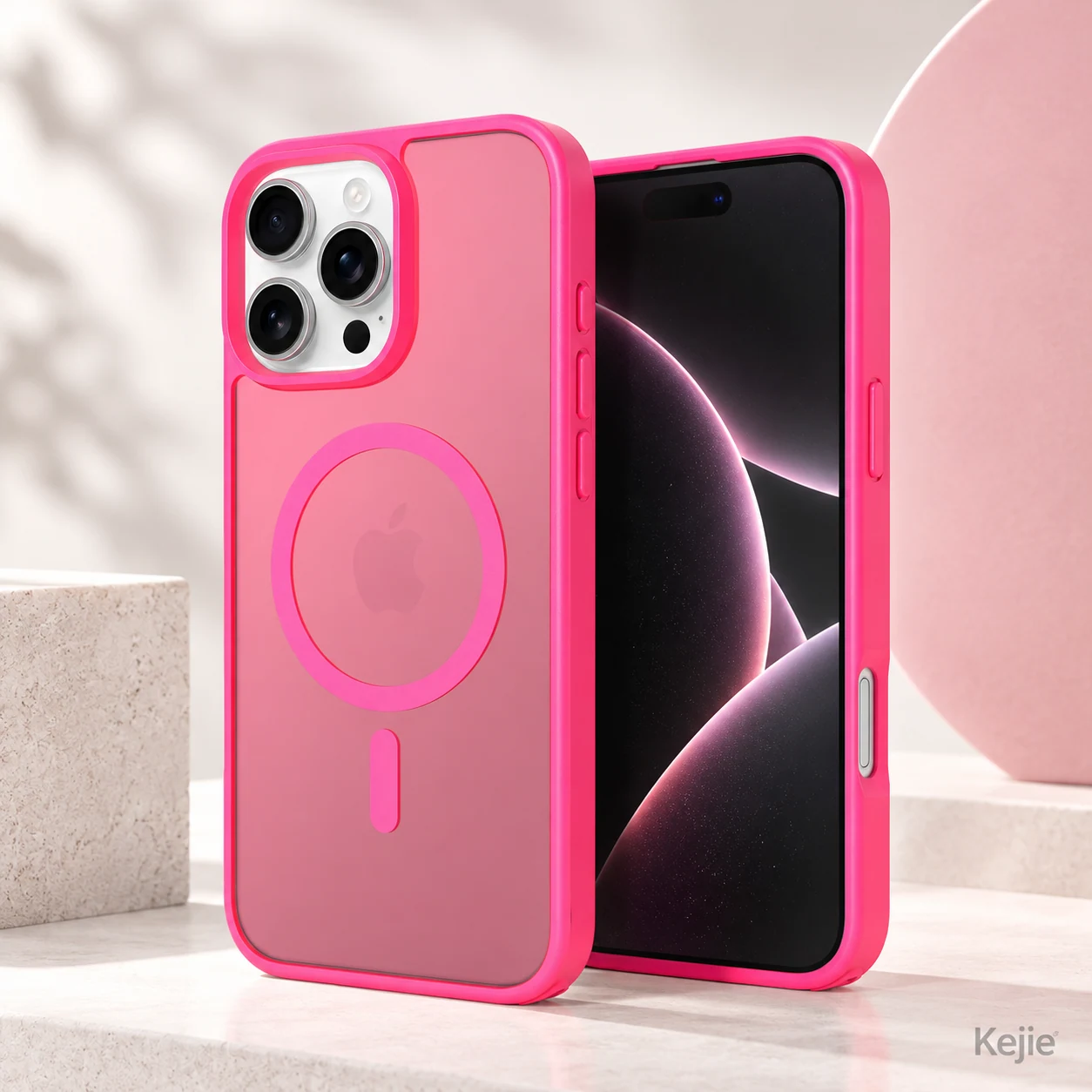
What is the difference between magnetic and MagSafe-compatible phone cases? A magnetic case describes a magnetic feature; MagSafe-compatible describes intended use with specified MagSafe accessories. Neither wording alone establishes certification or charging speed. For wholesale sourcing, ask what has been verified with the exact phone, case and accessory before choosing the product or making a retail compatibility claim.
A ring may help an accessory attach. It does not prove that charging starts, stays stable or reaches an advertised power. Approve those claims separately.
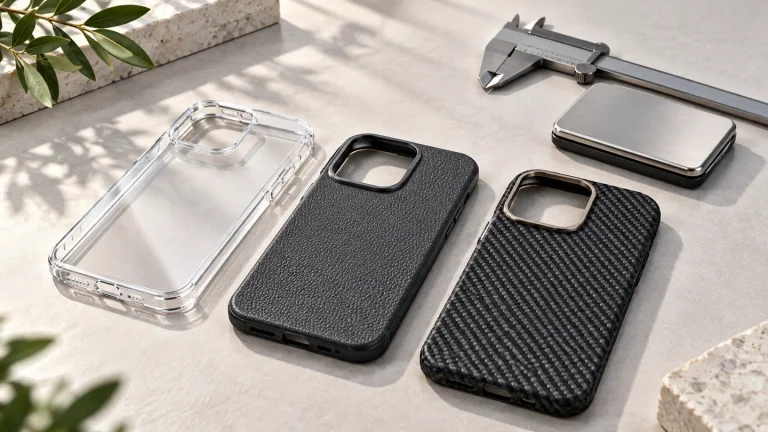
Kejie’s pictured matte TPU + PC case lists wireless charging among its functions. Send the intended phone and charger models for a sample discussion before choosing a retail claim.
1. What do magnetic, MagSafe-compatible and certified mean?
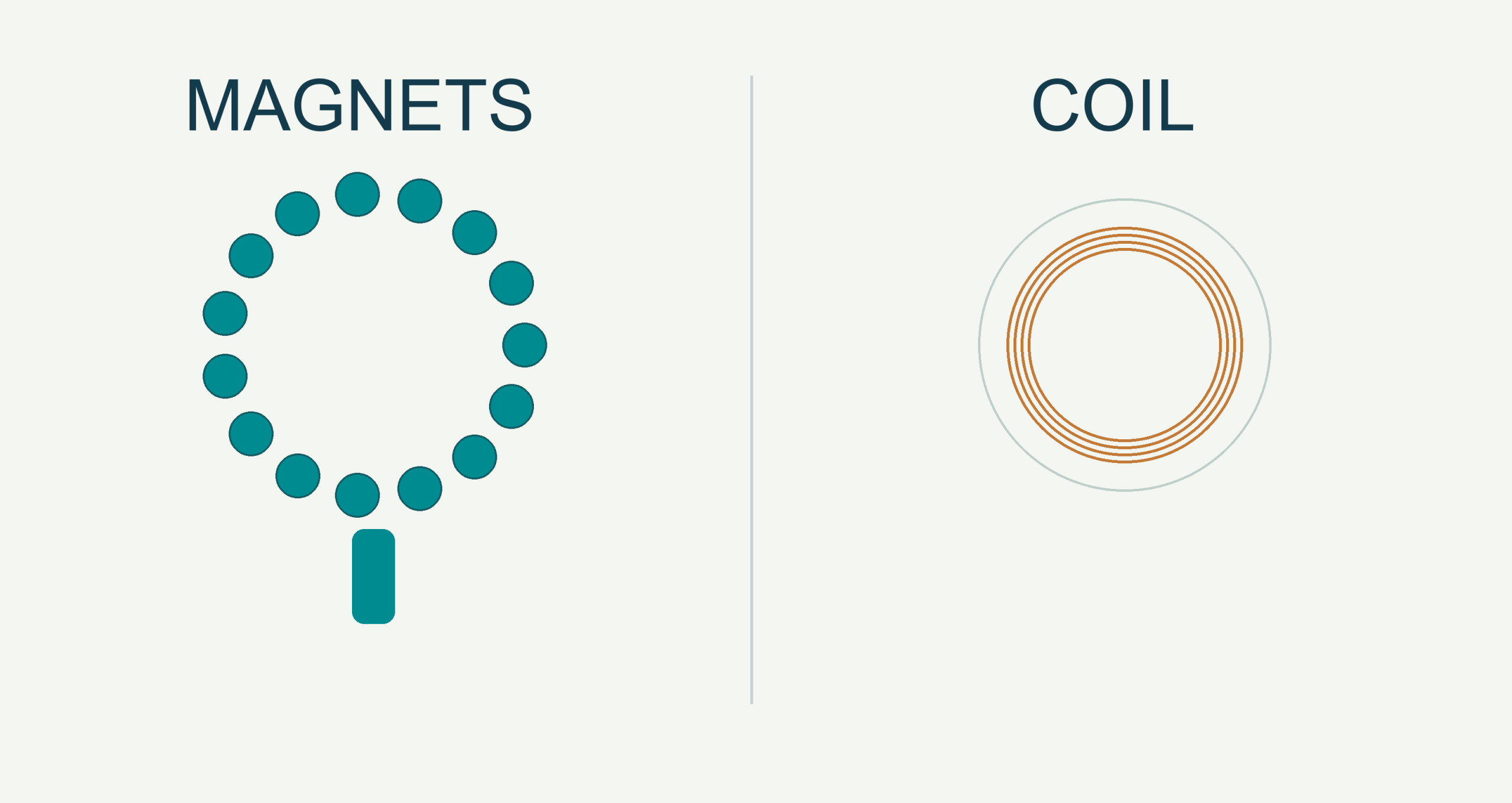
- Magnetic ring construction
- Ask whether the visible ring is a magnet array, a magnetically attracted component, decoration or a moving holder. Confirm its position, retention and exact setup. Appearance does not identify the internal structure.
- Accessory attachment
- Check the actual wallet, mount, stand or battery pack. Inspect seating, orientation, rotation and camera clearance. Attachment to one accessory does not confirm fit with every accessory.
- Wireless charging compatibility
- Verify charging with the selected phone, case, charger and power supply. Check interruptions and interference from stands or added layers. A charging symbol confirms an event, not a measured charging rate.
- Certification or approval
- Request the applicable program, model identifier and documentation. Check what the record covers: charger, receiver, accessory or a specific combination. A ring photograph is not a certification record.
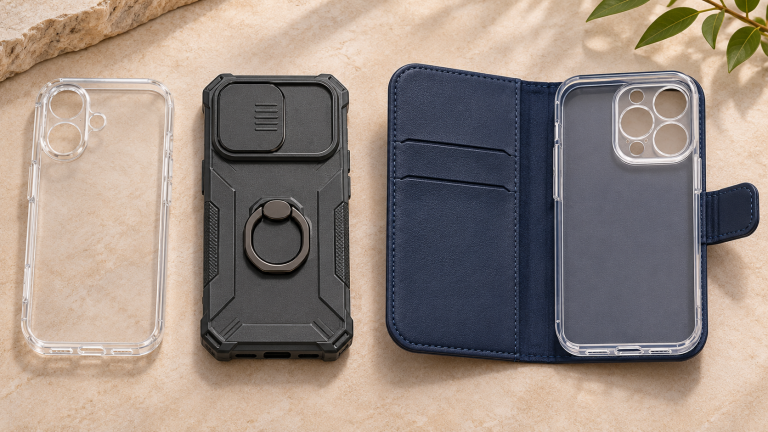
A wallet-case magnetic clasp is another use of magnetism: closing the cover. It does not mean the back of the case supports magnetic charging. Browse the Kejie magnetic phone case collection by the required function, then ask about the exact product you want.
2. Read the claim and its documentation together
MagSafe-compatible is a compatibility statement
Ask which accessories, phone models and case versions the compatibility statement covers. Do not turn a supplier’s “compatible” description into “Apple certified,” “Made for MagSafe” or another approval badge without matching evidence and applicable authorization.
Apple’s MFi FAQ distinguishes accessories using licensed technologies from cases that do not integrate MFi components. A company’s program participation or another product’s approval does not by itself verify the case being ordered.
Qi and Qi2 claims need model-level verification
WPC directs buyers to its Certified Products Database to verify certification. Match the brand, model or part number and Qi ID to the supplied item. Check what the certification covers. A certified charger does not automatically certify every case placed on it.
Qi2 Ready: check the companion-product dependency
WPC’s 23 October 2025 logo guidelines include receiver–accessory combination certification and accessory certification routes. For a Qi2 Ready claim, request the specific receiver and accessory identities, applicable record and required dependency wording. Do not generalize approval to other phones or cases.
Keep three decisions separate: observed function on a sample; a performance claim supported under defined conditions; and permission to use a certification or program mark. Resolve each before approving product listings and packaging.
3. Verify a combination, not just a case
Keep a separate record for each phone, case and charger combination. Changing any part can change the result. These are suggested buyer checks; agree the actual tests and pass criteria with Kejie.
On a narrow screen, scroll the checklist sideways. Keep the model and observation fields together.
| Record | Check on the sample | What the result can establish |
|---|---|---|
| Phone + case | Exact phone model, software, product code and sample version. Check fit, buttons, camera opening and the rear magnetic ring position. | Physical fit for the recorded model; not all models in a series. |
| Accessory attachment | Wallet, mount, grip or battery-pack model. Check that it sits flat and has enough space in the position you will use. Agree how to test its holding strength and what counts as a pass. | Attachment under the recorded setup; not wireless charging or a universal holding-force rating. |
| Charger + power supply | Charger part number, adapter output profiles and cable. Use the manufacturer’s setup instructions; record connected accessories. | A record of the tested phone, case and charger. The charger’s advertised power is not guaranteed with every combination. |
| Charging behavior | Battery starting level, room conditions, phone use and orientation. Compare a baseline without the case where permitted; repeat with the case, noting starts, stops and warnings. | Observed behavior. A wattage or efficiency claim needs an appropriate measurement method and conditions. |
| Added layers | Check the intended stand position and permitted accessory stack. Remove wallets, cards and unsuitable metal parts from the charging path. | Whether the tested parts fit and work together. Adding a different metal plate or ring needs a new check. |
| Claim approval | Keep photos, the phone/case/accessory details, results, problems, checker’s name and date. Make sure any certification matches the exact product or approved combination. | A record of what passed and what still needs checking. A buyer’s inspection does not create a certification. |
Apple’s MagSafe Charger instructions explain that delivered power depends on the phone, adapter and system conditions. They also advise keeping cards and sensitive items out of the charging path. Use the instructions for the exact charger generation; avoid a single wattage promise across a case range.
4. If it attaches but does not charge as expected
-
It snaps on, but charging does not start
First check that your phone supports the charging system and works with the charger and power supply without the case. Then add only the case. Check alignment, stand position and any extra metal or accessories. If the problem starts with the case, record the exact parts used for review.
-
Charging starts, then pauses or reconnects
Check seating and clearance, then compare the case-on and baseline setups under similar conditions. Record battery level, usage, warnings and temperature-related behavior. Change one variable at a time; stop using a damaged product or a setup that shows a warning.
-
A charging icon appears, but “fast charging” is unclear
Check the phone, charger part number, adapter profiles and manufacturer conditions first. Do not treat the icon, animation, magnetic strength or an adapter’s input rating as proof of power delivered to the phone. Approve a numerical claim only with an agreed measurement method.
If the project also needs a clear finish, use the clear-case material and yellowing guide for appearance requirements. Optical ageing and charging compatibility require separate evidence.
5. Choose a product direction by the required function
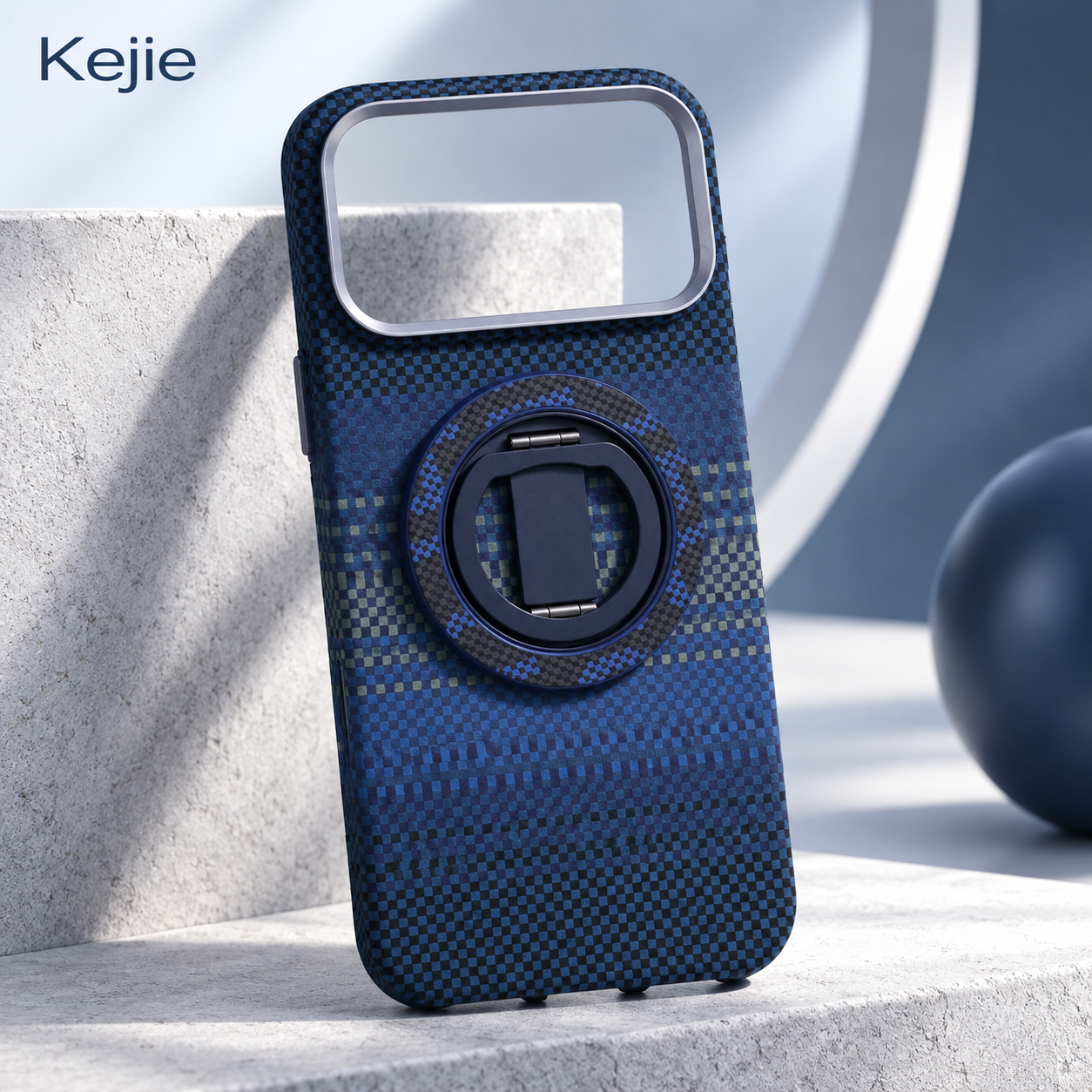
For grip, viewing support and a specified magnetic mount
The L-7 ring-holder case is a useful contrasting option: its published functions include grip, stand and magnetic-mount use. Wireless charging is not confirmed on the current product page.
- Approve ring movement and stand stability.
- Check the intended mount and camera clearance.
- Do not add a charging claim based on the ring.
For wireless charging: start with the 052811 matte magnetic TPU + PC case shown at the beginning. Wireless charging is listed; sample verification is still needed for the chosen phone and charger. Neither product is presented here as Apple, Qi or Qi2 certified.
For broader supplier and development questions, continue to the magnetic case OEM sourcing guide. For logo and packaging options, review Kejie’s OEM/ODM services.
6. Send Kejie the Details to Check Compatibility
Send these details so Kejie can suggest a case and explain what to check on a sample:
- Devices: exact phone models and selected case references.
- Accessories: charger, adapter, cable, wallet, mount or battery-pack models.
- Required use: attachment, stand, charging, or a defined combination.
- Approval: intended retail wording, evidence needed and proposed sample checks.
- Order details: quantity for each phone model and color, logo, packaging and destination.
Ask which combinations can be evaluated, what supporting documents are available, and which claims remain unconfirmed. Final compatibility, customization, MOQ and timing depend on the selected project.
Ask Kejie to review your magnetic case and accessory requirements
 English
 Español de Argentina
 Русский
 Italiano
 日本語
 한국어
 العربية
 Français
 Deutsch