
FEATURES
A matte magnetic case with carry and desk-use options
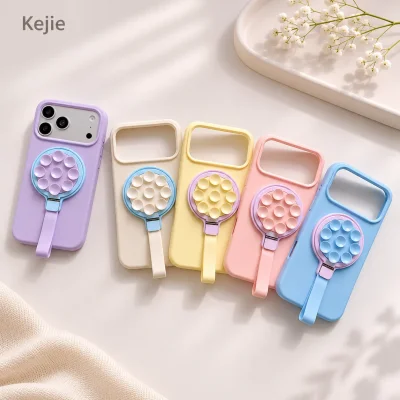
This matte PC case combines a magnetic rear arrangement with a wrist strap and an openable capsule connector. The capsule also acts as a separate support beneath the phone for desk viewing. Select a dedicated iPhone 17, iPhone 17 Pro or iPhone 17 Pro Max version, then choose the case-and-strap color combination.
The distinctive feature is support provided by the wrist-strap accessory. The capsule can be positioned beneath the fitted phone, leaving the case back without a hinged stand leg. This is a useful direction when your requirements combines a plain matte rear appearance, wrist carry and occasional supported viewing.
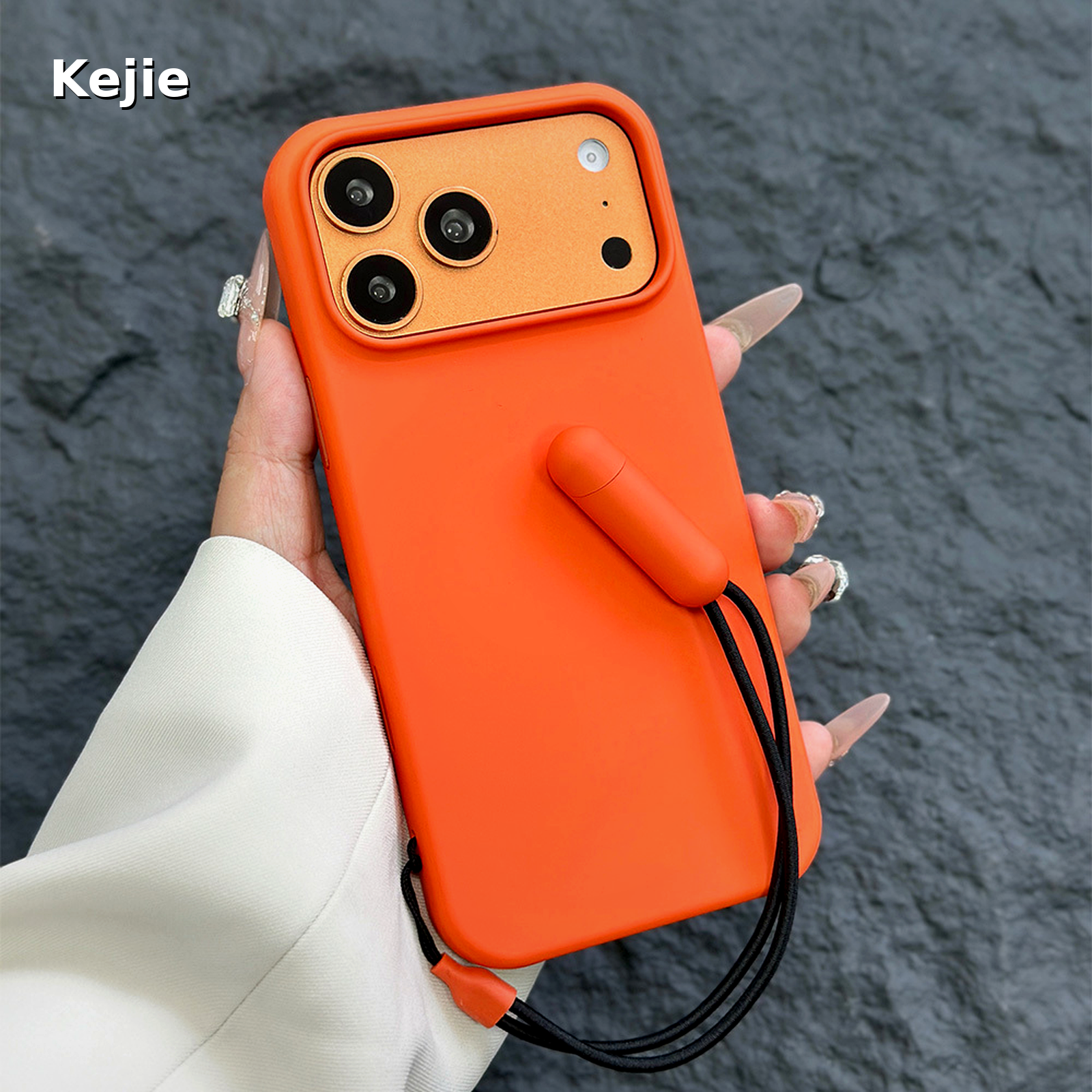
Each part has a separate job: the PC shell fits the phone, the rear magnetic arrangement works with a matched accessory, the loop provides a wrist-carry option, and the capsule provides desk support. Approve the complete set so one feature is not mistaken for another when the product is selected or presented.
Core construction and useful features
| Case material and finish | PC case body with matte exterior |
|---|---|
| Phone selections | iPhone 17 / iPhone 17 Pro / iPhone 17 Pro Max; separate fitments |
| Rear function | Magnetic arrangement; match the intended accessory |
| Carry and support | Wrist strap with openable capsule connector, also used as a separate desk support |
| Standard order unit | 20 pieces; 20-piece ordering increments |
- Matte PC body: provides a rigid case format with a subdued, opaque rear appearance for a color-led phone accessory range.
- Wrist-carry loop: gives the phone an additional carrying position alongside ordinary hand grip, with the loop linked through the lower case attachment arrangement.
- Openable capsule connector: joins the wrist-strap assembly in a compact, color-coordinated component that can be opened at its joint.
- Accessory-based desk support: uses the capsule beneath the phone for a viewing setup, avoiding a stand leg that unfolds from the case back.
- Rear magnetic layout: provides a separate accessory-selection direction; the required mount or charger is reviewed with the actual fitted phone.
Choose this design for the combination of features that solves the buying needs. The capsule is not a rear magnetic ring, and the rear magnetic arrangement is not the strap closure. Keeping these functions distinct makes demonstrations and order descriptions clearer.
PC body, matte finish and the inner rear layout
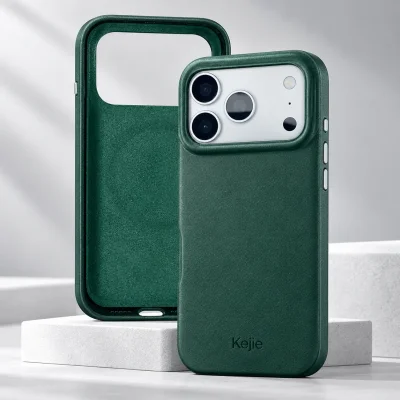
PC is the stated case material. Its rigid form follows the phone body while the matte exterior emphasizes a plain color surface. The camera-area opening, side controls and bottom access remain specific to the chosen iPhone version.
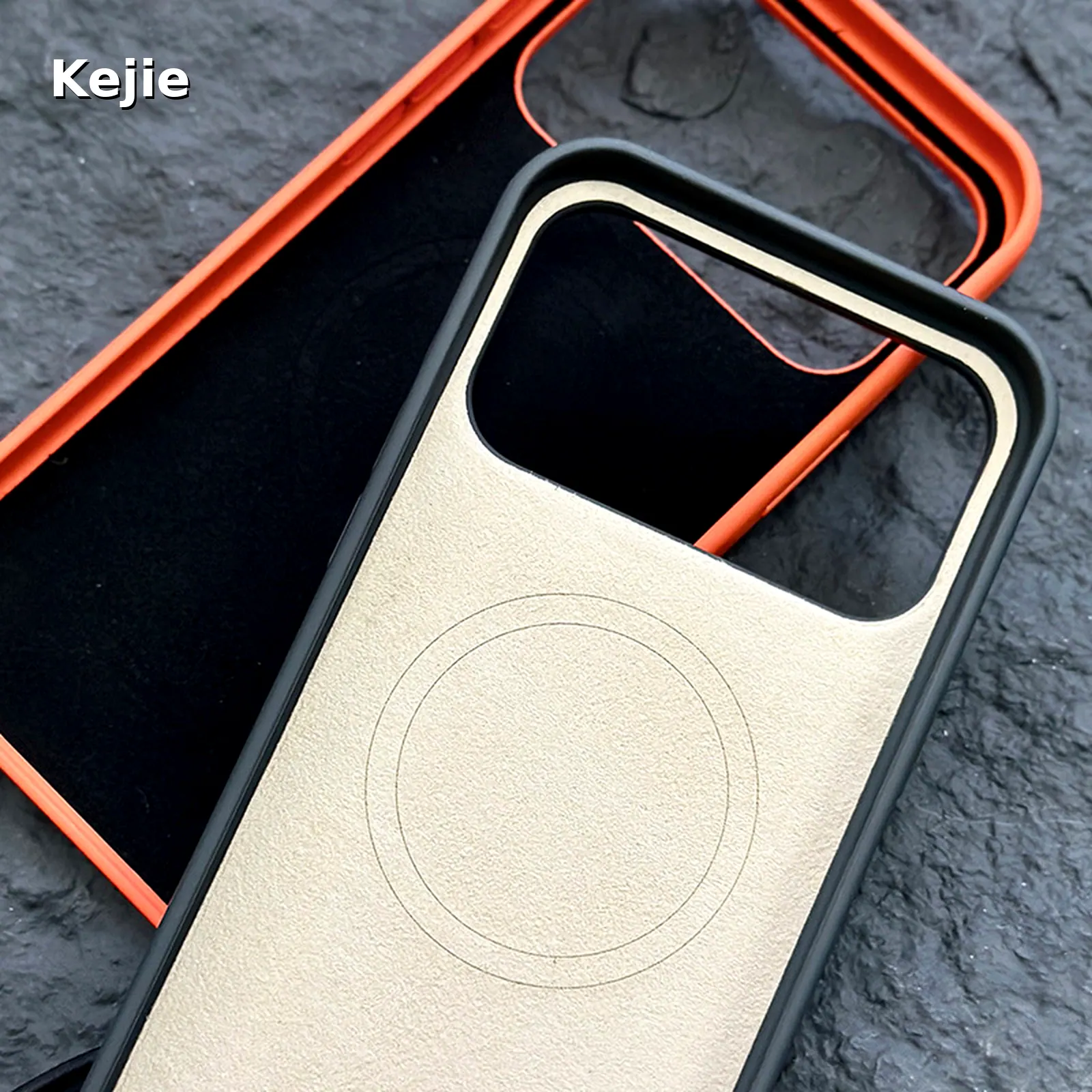
The interior image shows the rear ring layout and inner lining area. This supports understanding of where the magnetic arrangement sits; it does not supply a magnet grade, pull-force value or charging-power specification. Specify those only against a product-specific requirement and corresponding evidence.
For finish approval, compare the matte level, color consistency, camera surround and visible edges under the agreed viewing conditions. A matte appearance and an anti-fingerprint performance requirement are different specifications. If surface marking or abrasion matters to the project, agree the evaluation method and acceptance reference on the decorated or undecorated sample as appropriate.
The shape of the fitted shell also affects handling. Check that the phone seats properly, buttons remain usable and the intended cable fits the opening. Evaluate those points on the selected iPhone rather than transferring an approval from a similarly named version.
Wrist carry starts with the attachment and connector
The wrist loop connects at the lower part of the case and includes a two-part capsule. The connection should be assessed as a complete system: the case attachment, cord, capsule joint and the useful loop position all affect how the phone is handled.
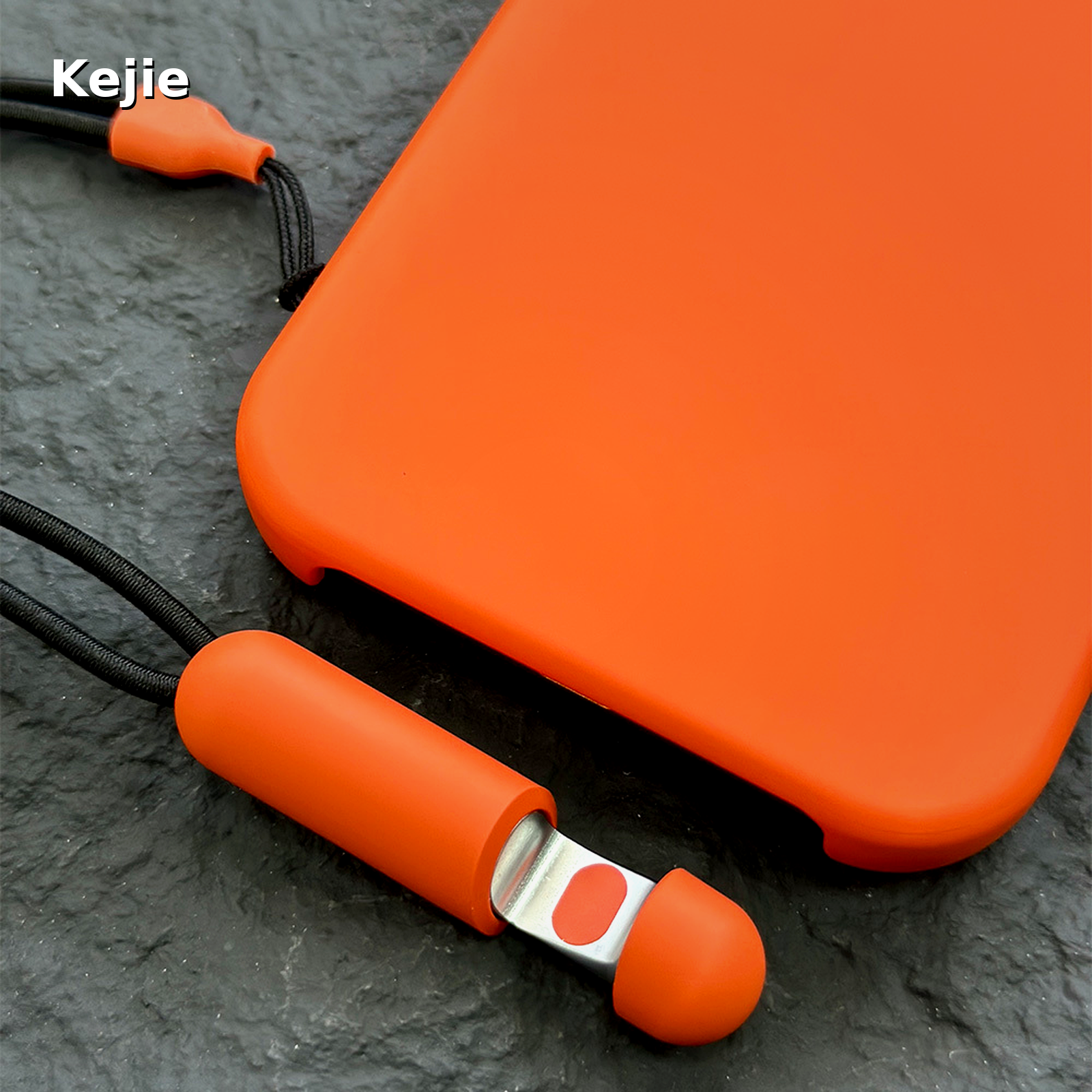
Open the capsule at its intended joint when setting up the accessory, then close it fully before wrist carry. Check that the cord follows the intended route and does not obstruct the charging opening or controls. Inspect the attachment and joint against the approved sample rather than relying only on matching colors.
The loop is useful when moving between carrying and screen use. The capsule gives the accessory a defined component to handle, while the cord allows the loop to sit alongside the phone. Assess comfort with the chosen phone and the desired way of holding it; the larger phone version may feel different in the same carrying task.
For order acceptance, agree the handling check and a check that parts stay in place for the strap assembly, including the attachment area and connector. Keep any load or durability criterion explicit. The product’s carrying function should not be described as a quantified load rating without the corresponding evaluation.
Use the capsule as a separate desk support
For desk viewing, the closed capsule is positioned beneath the phone. The phone needs to be centered over the support, with the cord resting clear of the screen, controls and working area. This creates a different setup from opening a kickstand on the rear shell.
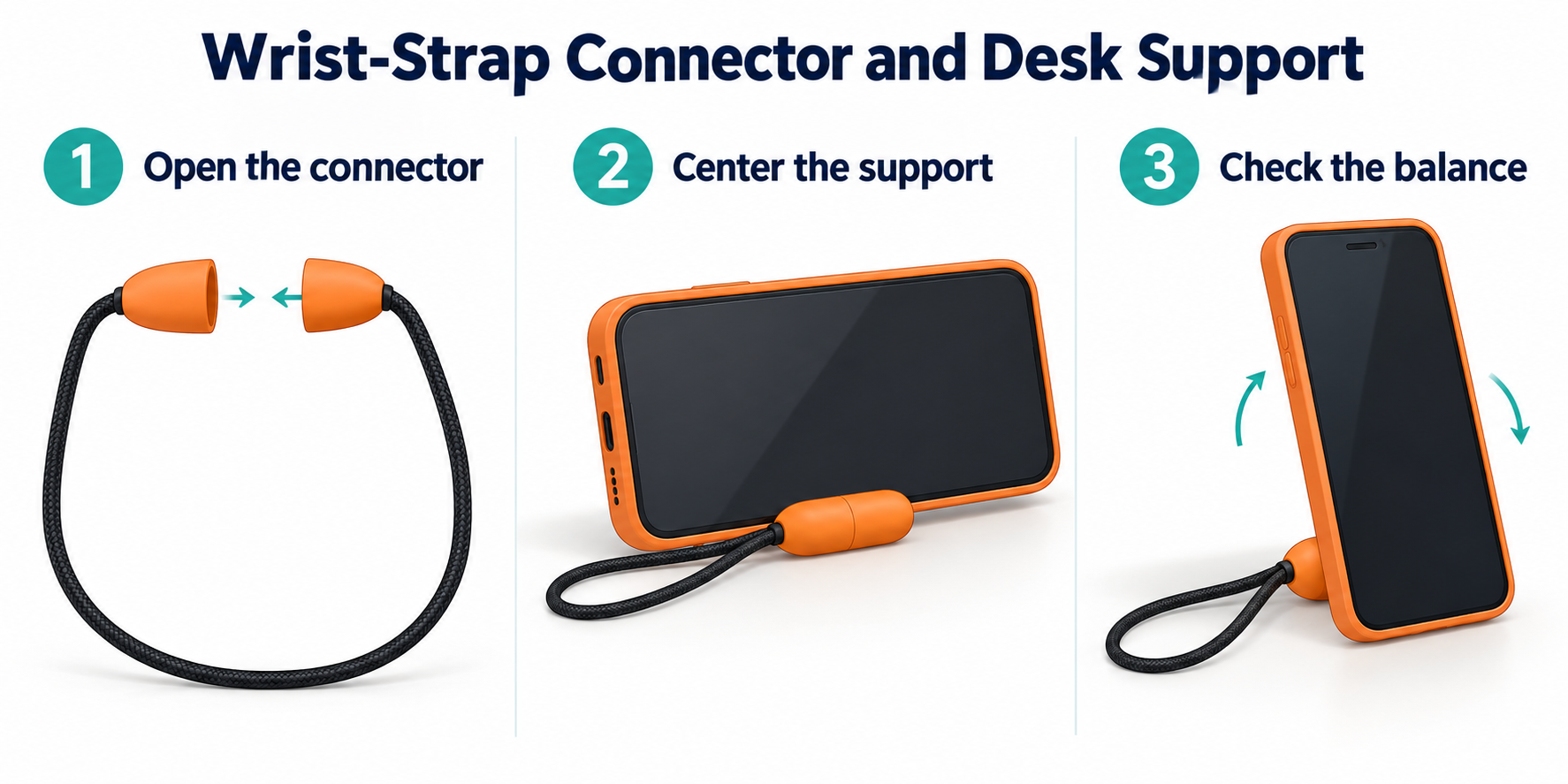
- Fit the correct case to the intended iPhone and close the capsule connector fully.
- Place the capsule on a level, stable surface and position the phone centrally over its support area.
- Check balance in the desired landscape or portrait arrangement before releasing the phone.
- For a different phone position, lift and reposition the setup instead of forcing it while supported.
The support arrangement can be used for landscape or portrait viewing when the fitted phone is positioned appropriately. The exact balance depends on the phone and setup, so approve the orientations needed for the project. A fixed viewing angle or support-load figure should not be assigned from a static image.
Our recommendation: select this format for occasional desk viewing where the buyer also wants the wrist strap and a plain case back. If a support must remain hinged to the shell and deploy directly from it, compare an integrated-stand design instead.
Compare the three operating modes
| Mode | Useful task | Selection and sample focus |
|---|---|---|
| Handheld / wrist carry | Move with the phone and return to screen use with the loop available | Case seating, loop comfort, connector closure, attachment and cable/control clearance |
| Capsule-supported viewing | Rest the phone for a desk-viewing task without a rear stand leg | Level surface, central placement, required orientation and balance with the chosen phone |
| Magnetic accessory use | Pair the rear magnetic arrangement with a specified mount or charger | Exact accessory, rear contact/alignment and the required attachment or charging behavior |
The modes answer different buying questions. A wrist-carry review does not settle desk stability, and a stable desk position does not confirm magnetic charger behavior. Evaluate the actual tasks that will be described on the retail pack or in product demonstrations.
When demonstrating the set, show the change between modes clearly. Explain where the capsule sits for viewing and how it returns to the carry arrangement. That is more informative than presenting the product simply as a generic “magnetic stand case.”
Magnetic attachment and wireless charging are separate tasks
The rear magnetic arrangement is intended to work with a matched accessory. Start the sample request with the actual phone and the named charger or mount, including any additional rear accessory that will remain fitted.
For a mount, assess contact position, alignment and holding strength for the intended orientation and handling. For a charger, assess charging behavior with the fitted phone, selected charger and power equipment. Make sure the strap and capsule are positioned clear of the working setup rather than trapped between components.
A useful sample record states which combination was approved and for which task. Changing the phone version, adding a rear plate or using another accessory changes that setup. Keep accessory compatibility separate from any certification or charging-power claim.
Choose the iPhone version before the color mix
The selectable phone versions are iPhone 17, iPhone 17 Pro and iPhone 17 Pro Max. They are separate fitments. Identify the exact phone on the quotation, sample record and packed-unit label before splitting the order across colors.
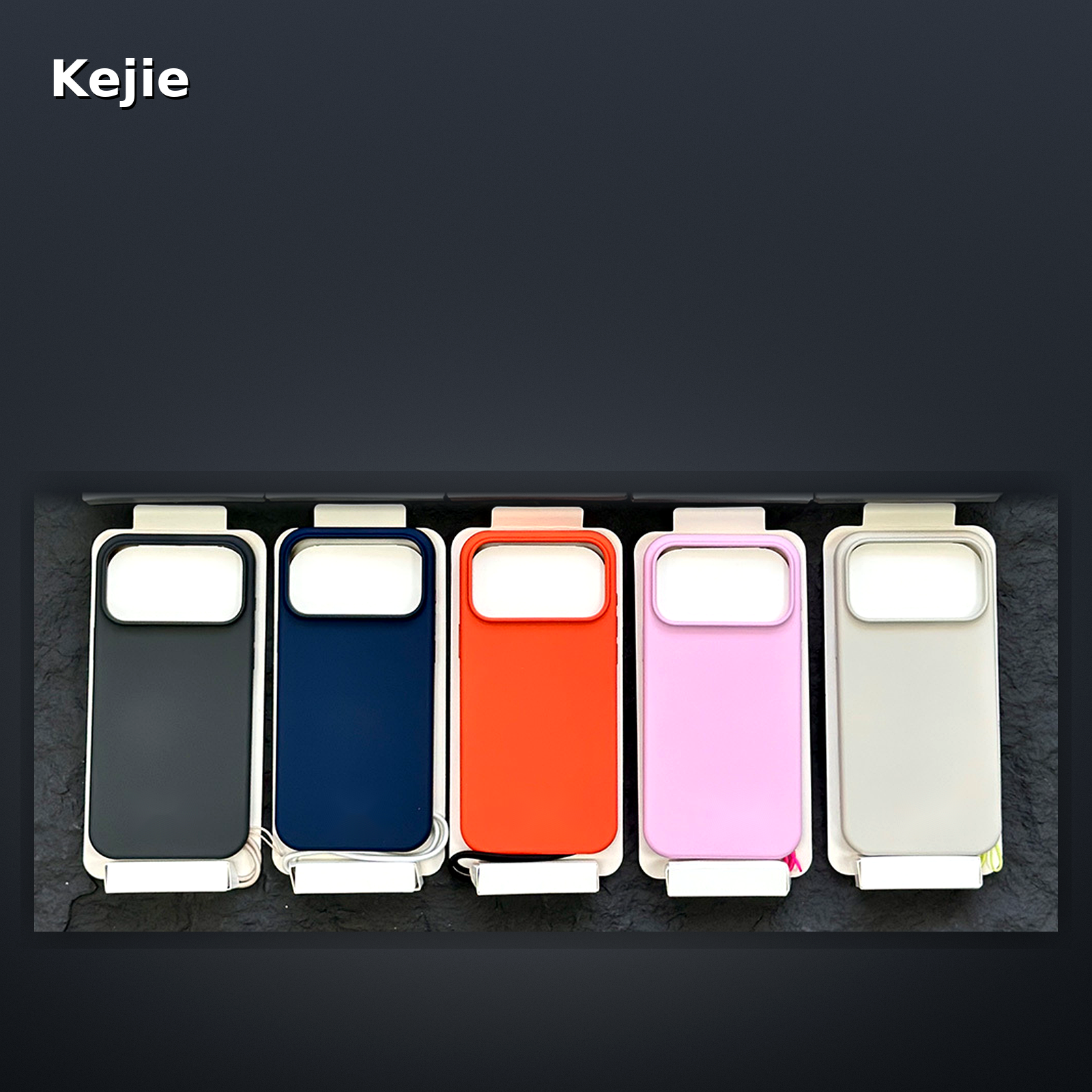
The photos show color directions rather than a complete stock guarantee: gray, navy, orange, pink and light tones appear across the range. Approve the selected material color, capsule color and cord combination together. The same shell color can look different when paired with black or light cord.
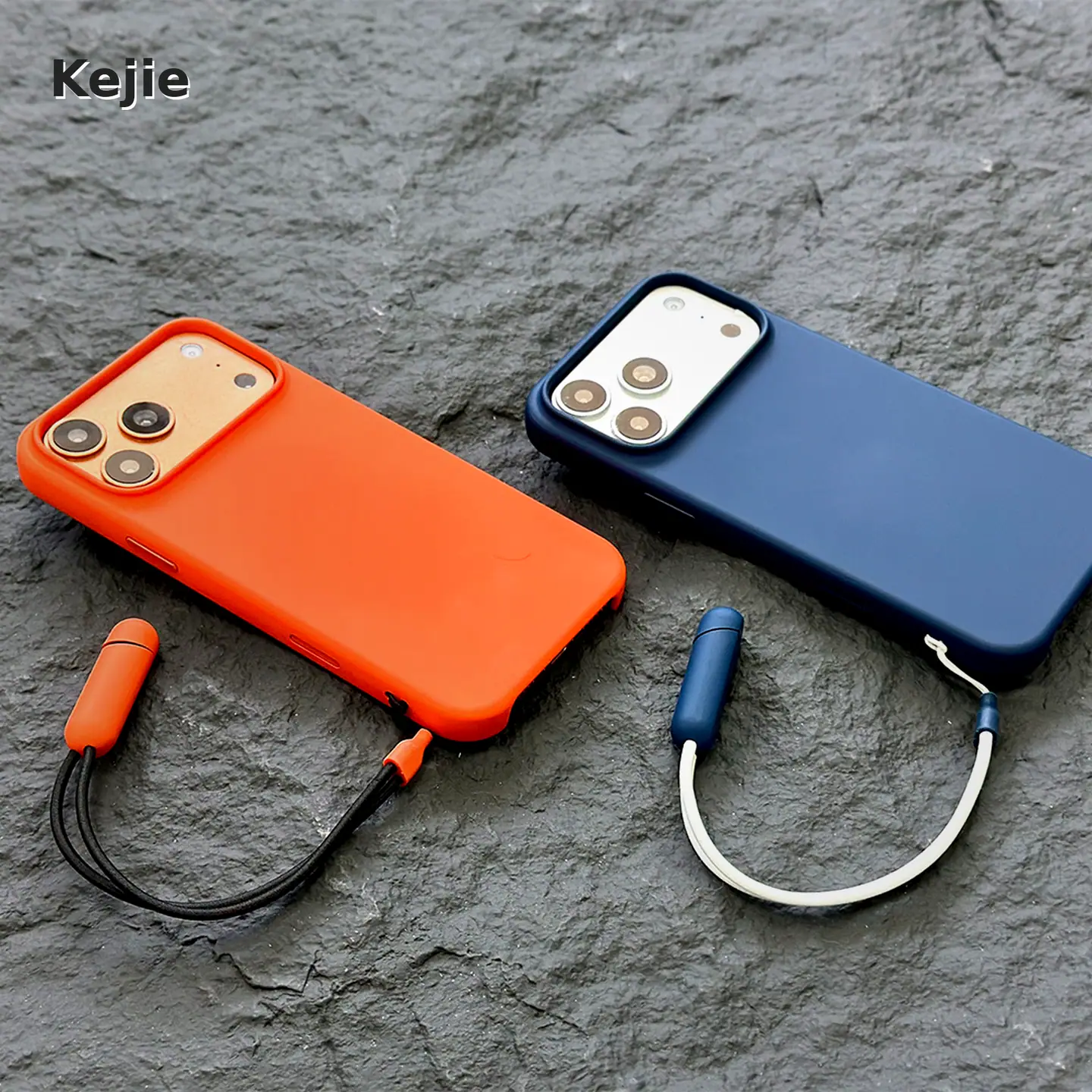
For a coordinated product range, keep one setup list covering model, shell color, capsule and cord. A case-only color approval does not define the full set’s appearance. Any requested alternate color or combination needs its availability and quantities for each version confirmed in the quotation.
The iPhone 17 Series collection offers other constructions for the same device family. An iPhone Air or another generation requires a separately confirmed product; it is not included merely because the title says “Series.”
When a capsule support is the right choice
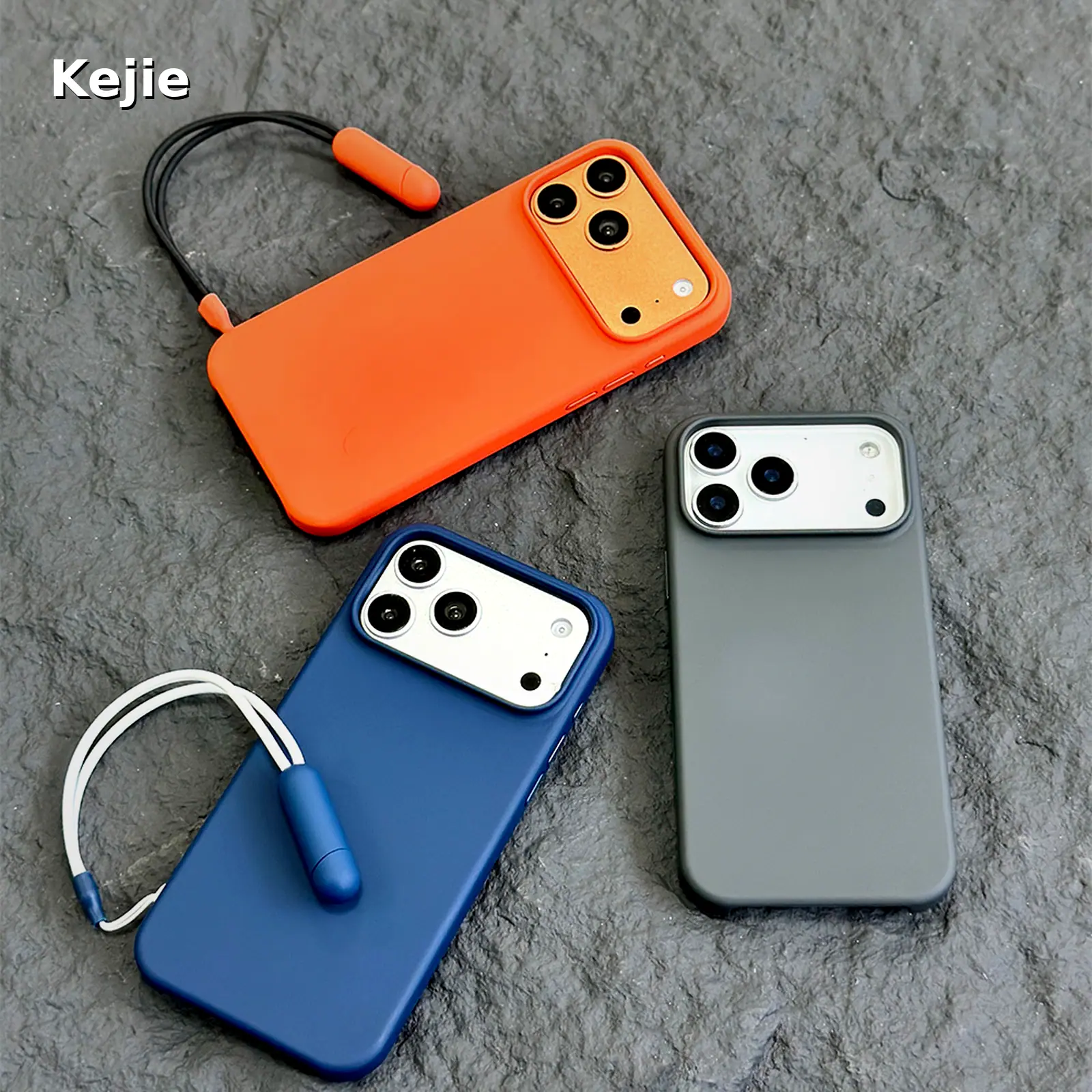
This case is relevant to a buying needs that values a matte color product range, an included wrist-carry component and an accessory that can also support desk viewing. Its plain rear appearance is a different design direction from a visible rear stand mechanism.
For frequent desk use where the buyer wants a stand always attached to the shell, a hinged support may be more suitable. For a range focused only on matte appearance and magnetic rear use, a simpler magnetic PC shell may be the better comparison. These choices concern the support mechanism and daily task, not an assumed hierarchy of product quality.
The kickstand case collection can be compared by how the support deploys, where it is mounted and which phone positions are required. Approve each construction’s actual viewing setup rather than assuming all products in the category work in the same way.
Related iPhone 17 designs for different support priorities
| Priority | Product direction | What distinguishes it |
|---|---|---|
| Wrist carry plus occasional desk viewing | This matte PC capsule-support set | The support is the strap accessory, with no rear hinged leg |
| Stand attached at the camera area | Camera-frame stand case below | Support deploys from the camera-area structure |
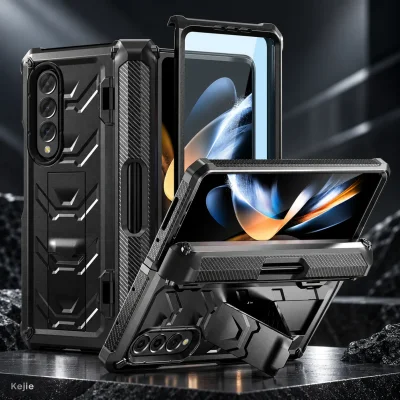
| A rear stand that stays on the shell | Hidden-kickstand armor case below | Support is integrated into an armor-style rear construction |
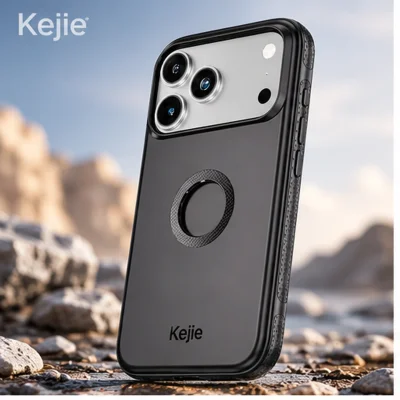
| Neutral matte appearance and rear magnetic use | Black/white magnetic PC case below | A Different Style Without the Capsule Stand Features |
Use the comparisons to shortlist the mechanism that suits the intended use, then review model fit and the complete supplied contents for that product. The published alternatives below have their own materials, quantities and sample requirements.
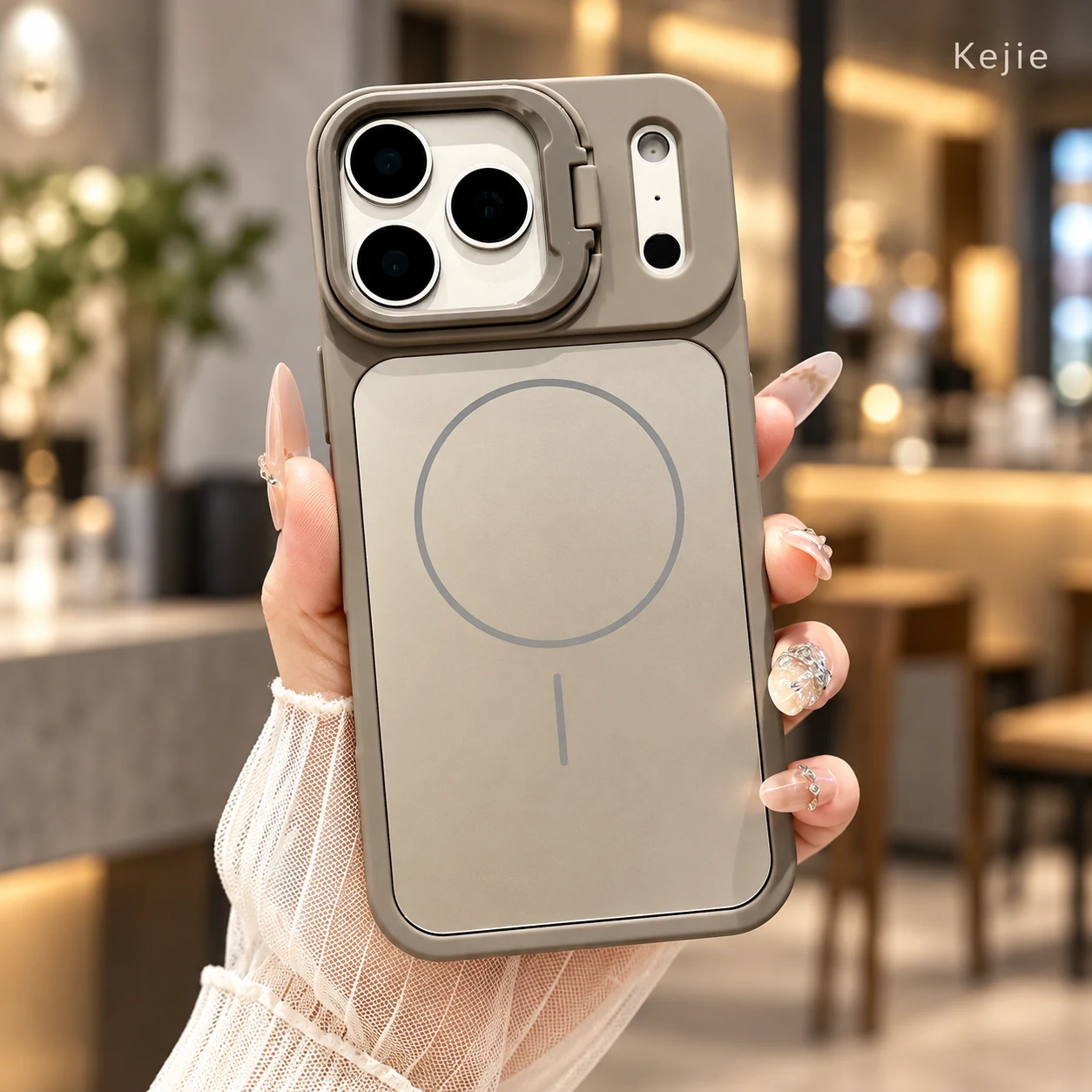
Magnetic Matte PU Leather Shockproof Camera Stand Case for iPhone 17 Series
Compare the camera-frame stand when your requirements call for a support attached around the camera area and a synthetic leather-style surface. Review its own exact phone and hinge geometry; it uses a different mechanism from the capsule accessory.
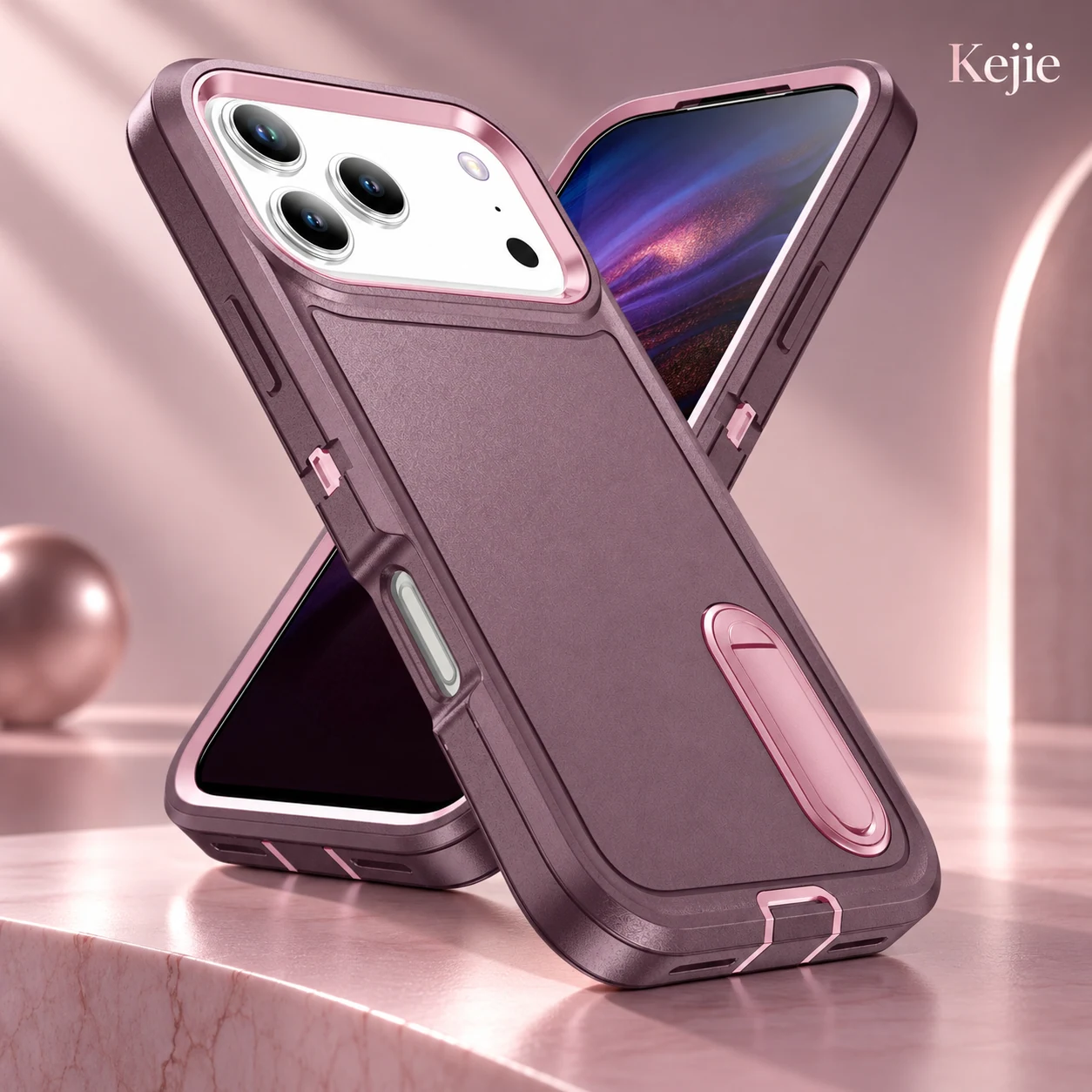
Armor Triple-Defense Hidden Kickstand Shockproof Case for iPhone 17 Series
Compare the PC armor-style case when a stand integrated into the rear construction is the priority. Its profile and deployment differ from a separate capsule, so assess handling and viewing on its own sample.
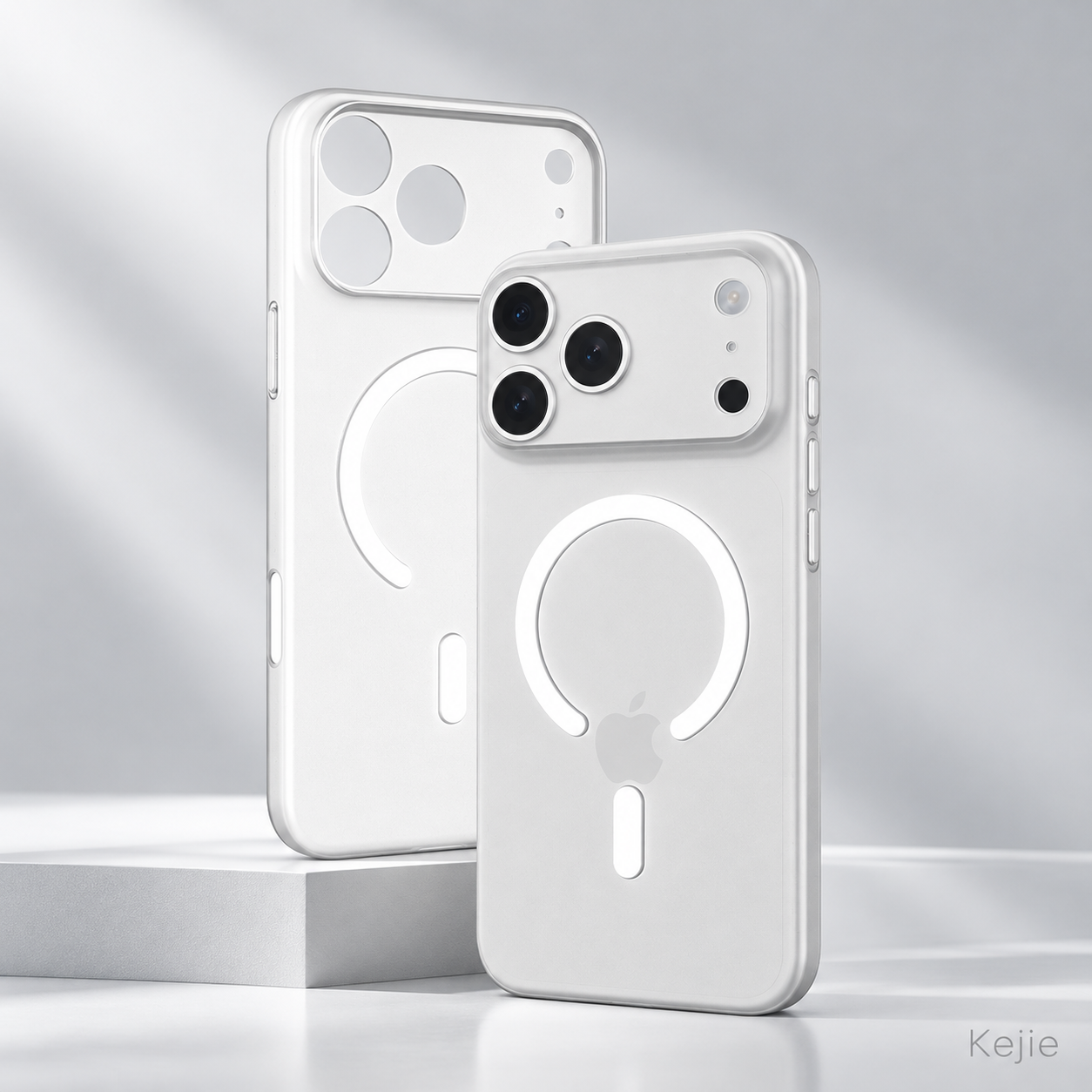
Matte Black & White N52 Magnetic Shockproof PC Case for iPhone 17 Series
Compare this black/white matte PC direction when the main goals are a neutral appearance and magnetic rear use. It is a separate setup; do not transfer this page’s strap, capsule, order quantities or timing to it.
Logo work and the complete accessory set
The product-specific logo reference starts at 200 pieces, separate from the standard 20-piece order unit. Send the artwork, dimensions and preferred position on a marked case image. Confirm the application method and appearance on the selected matte surface before approving a decorated order.
Keep branding clear of the camera opening, side controls, strap attachment and any working component. If a logo is requested on the capsule or cord rather than the shell, identify that scope separately for feasibility and quotation. A standard case logo reference does not automatically cover every accessory surface.
Define the final contents as case, wrist strap and capsule connector/support, with any changed components expressly listed. Agree the packaging and model/color identification for that set. Adding a logo and changing the connector construction are different project scopes; a structural request needs its own review.
Order batches, preparation references and packed dimensions
20-piece ordering unit
Standard ordering starts at 20 pieces, with 20-piece increments. Confirm how models and colors can be allocated within the accepted order. Do not assume that a batch automatically permits every mix of phone versions, capsule colors and cords.
The relevant quotation factors are the phone/color quantity split, strap and capsule setup, logo scope and packing. Our phone case cost guide explains how to separate those quotation items without treating one setup’s price as a universal product cost.
Quantity-specific preparation
The preparation references are 25 days for an order of 20 pieces and 30 days for an order of 40 pieces. These are two discrete quantities, not a continuous range to apply to other order sizes. Quantities above 40 pieces need an individually agreed schedule.
Confirm availability, any logo or packing scope and the agreed production start condition in the quotation. Sample preparation, agreed evaluation work and transport are separate stages. Give the destination and target receipt date so the plan can cover the actual order rather than only a preparation estimate.
20-piece packing reference
The 23 × 23 × 22 cm dimensions and 1.5 kg packed gross weight describe a 20-piece batch. They are not one case’s dimensions or weight. Do not use them as the bare case’s net specification.
Request the final carton plan for the accepted model/color mix and included accessory set. Any changed retail packaging or contents can affect the shipment figures, so confirm the final unit count, carton dimensions and gross weight before freight calculation.
Approve the case, strap joint and support as one set
Use a model-matched sample with the chosen cord, capsule and any logo. The acceptance reference should cover appearance and all required operating modes, not just the empty shell.
- Phone seating and access: check the exact phone, camera opening, side controls and intended charging cable against the fitted sample.
- Matte finish and decoration: compare color, surface appearance, inner finish and any accepted logo under the agreed viewing conditions.
- Strap attachment and joint: open and close the capsule and inspect the case connection using the handling method agreed for the set.
- Desk support: place the closed capsule beneath the fitted phone and assess central placement and balance in each required orientation.
- Magnetic accessories: test your chosen mount or charger with the phone and case together, using the checks agreed for your order.
- Pack contents and identity: count the case/accessory components and match phone, color and batch labels to the order.
The phone case sample approval guide helps distinguish an initial selection sample from the final order reference. Retain the accepted setup and review affected areas again if the phone, connector, cord, decoration or accessory requirement changes.
Questions About the Strap and Stand
Is there a stand hinged into the rear panel?
No. The capsule component is used separately beneath the phone for desk support. Buyers wanting a rear hinged leg should compare the integrated-stand alternatives above.
Can the phone be supported in portrait and landscape?
The capsule setup provides both viewing directions when appropriately positioned. Center the chosen phone over the support on a level surface and approve the required positions on the fitted sample.
Does a magnetic rear mean the capsule closes magnetically?
These are separate parts of the set. The rear magnetic arrangement relates to phone accessories; the capsule has its own opening joint. Confirm its operation on the actual sample instead of transferring the rear feature to the connector.
Are the dimensions and 1.5 kg weight for one case?
No. The 23 × 23 × 22 cm and 1.5 kg figures refer to a 20-piece packed batch. Obtain final packed-unit and carton data for the accepted setup when planning freight.
Can the 25-day reference be used for every order?
No. It corresponds to 20 pieces; 40 pieces has a separate 30-day reference. Other quantities and any changed scope require a confirmed schedule and start condition.
Is an iPhone Air version included?
The selections verified for this product are iPhone 17, iPhone 17 Pro and iPhone 17 Pro Max. An Air request needs a separately confirmed product and sample.
Can a standard 20-piece order include a logo?
The product has a separate 200-piece logo reference. State the required artwork and quantity split so the branding scope and applicable minimum can be confirmed before ordering.
Request the model-matched strap-and-support set
Send the iPhone version, quantity per color, chosen capsule/cord combination, intended desk orientation and magnetic accessory. Add any logo and packaging artwork, plus the destination and target date.
Request this matte magnetic PC case and capsule-support set →
 English
 Español de Argentina
 Русский
 Italiano
 日本語
 한국어
 العربية
 Français
 Deutsch